Harness Engineering: Building the System Around Your AI Coding Agent
Harness Engineering: Building the System Around Your AI Coding Agent by JI Darwish
Room 5 · Conference · 14:00-14:50
Summary
Section titled “Summary”AI coding agents are fundamentally simple: prompt a model, execute tool calls, feed results back, and repeat. This talk builds such an engine in Java, then iteratively adds context, constraints, and feedback to show how real tools improve reliability, safety, and understanding of their limits.
Timeline
Section titled “Timeline”- Rebuilt something existing to learn
- ⚠ maintability is the hard point
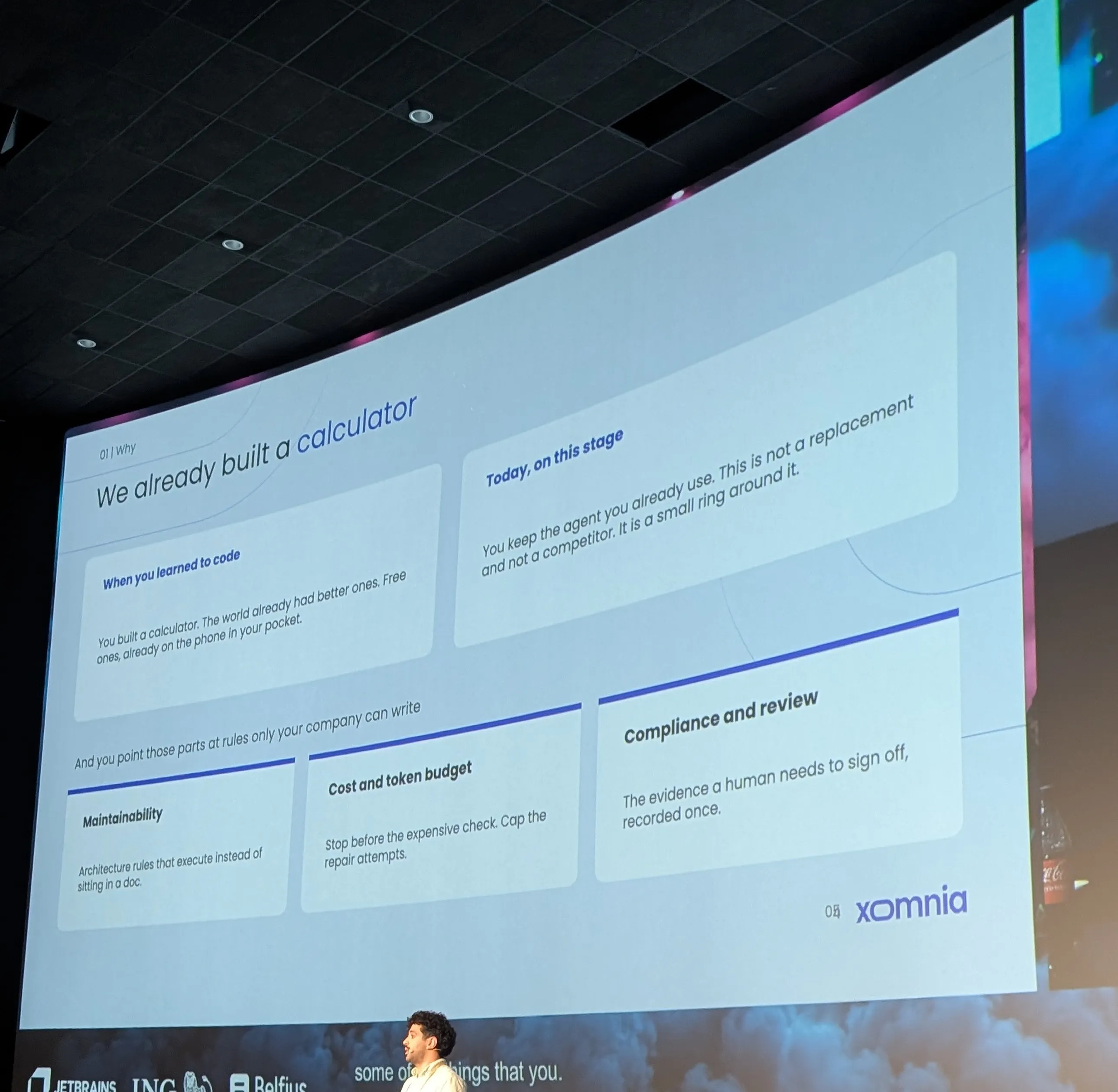
- gartner 40% Back Becouse un maintainable
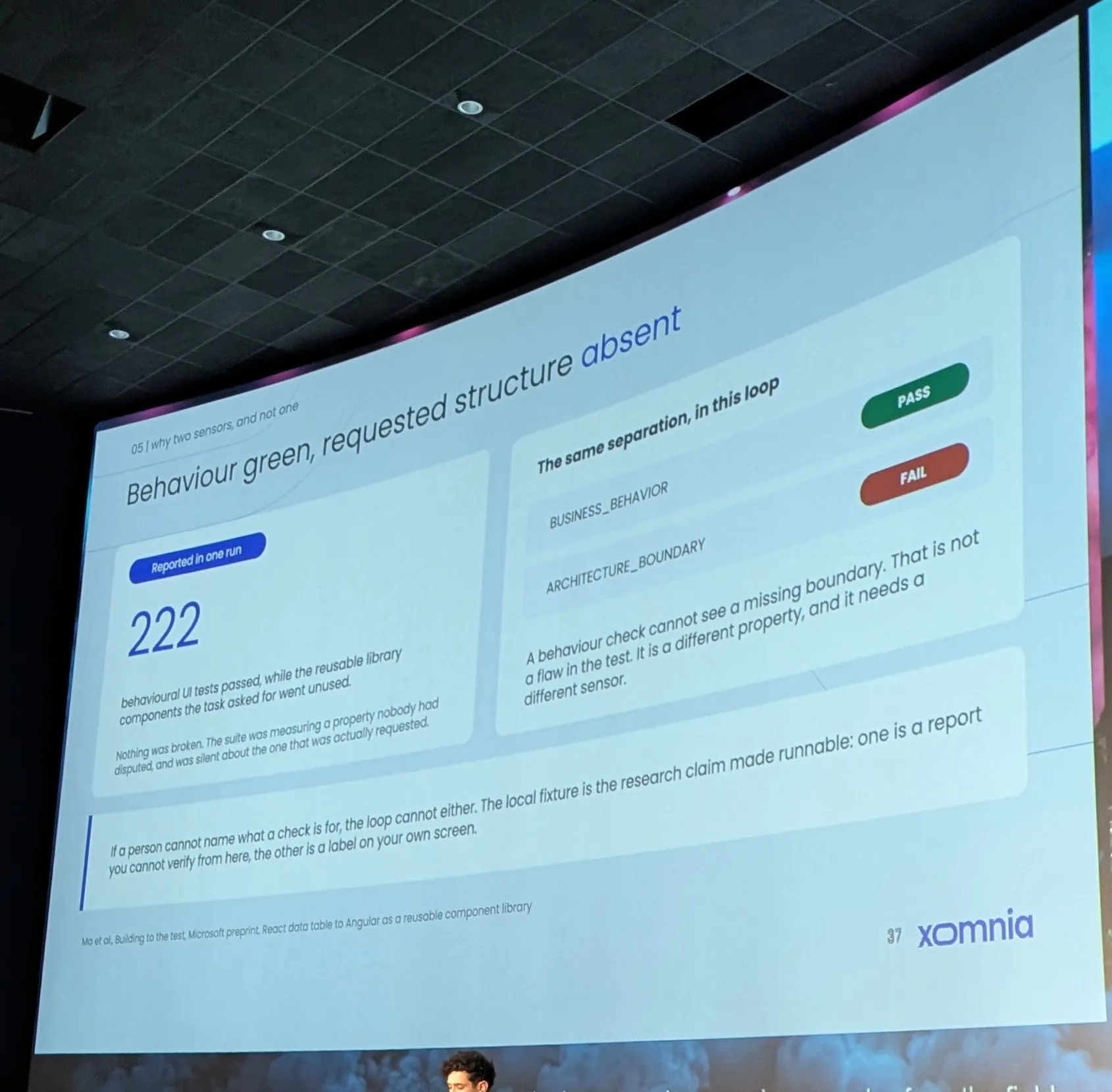
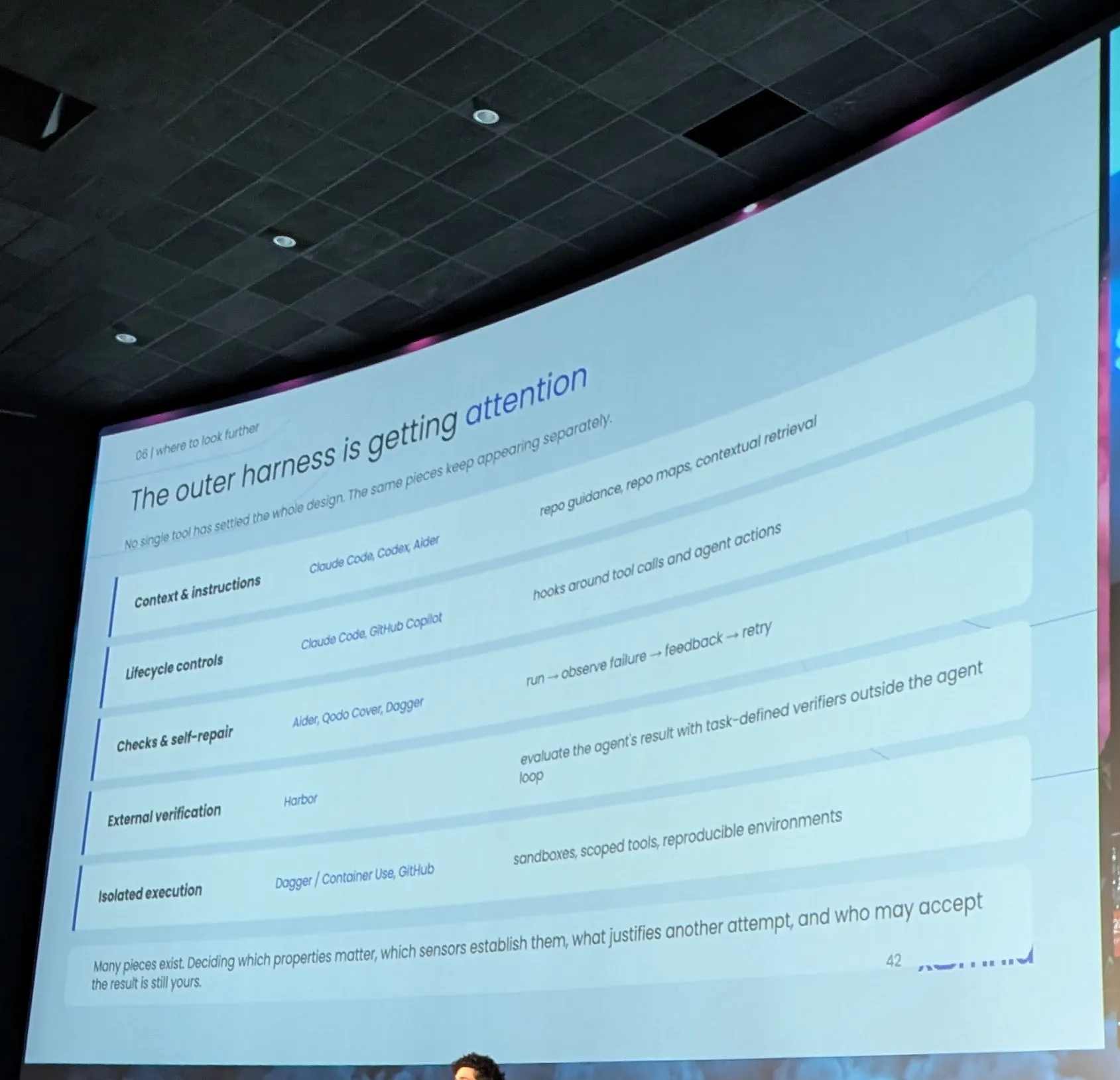
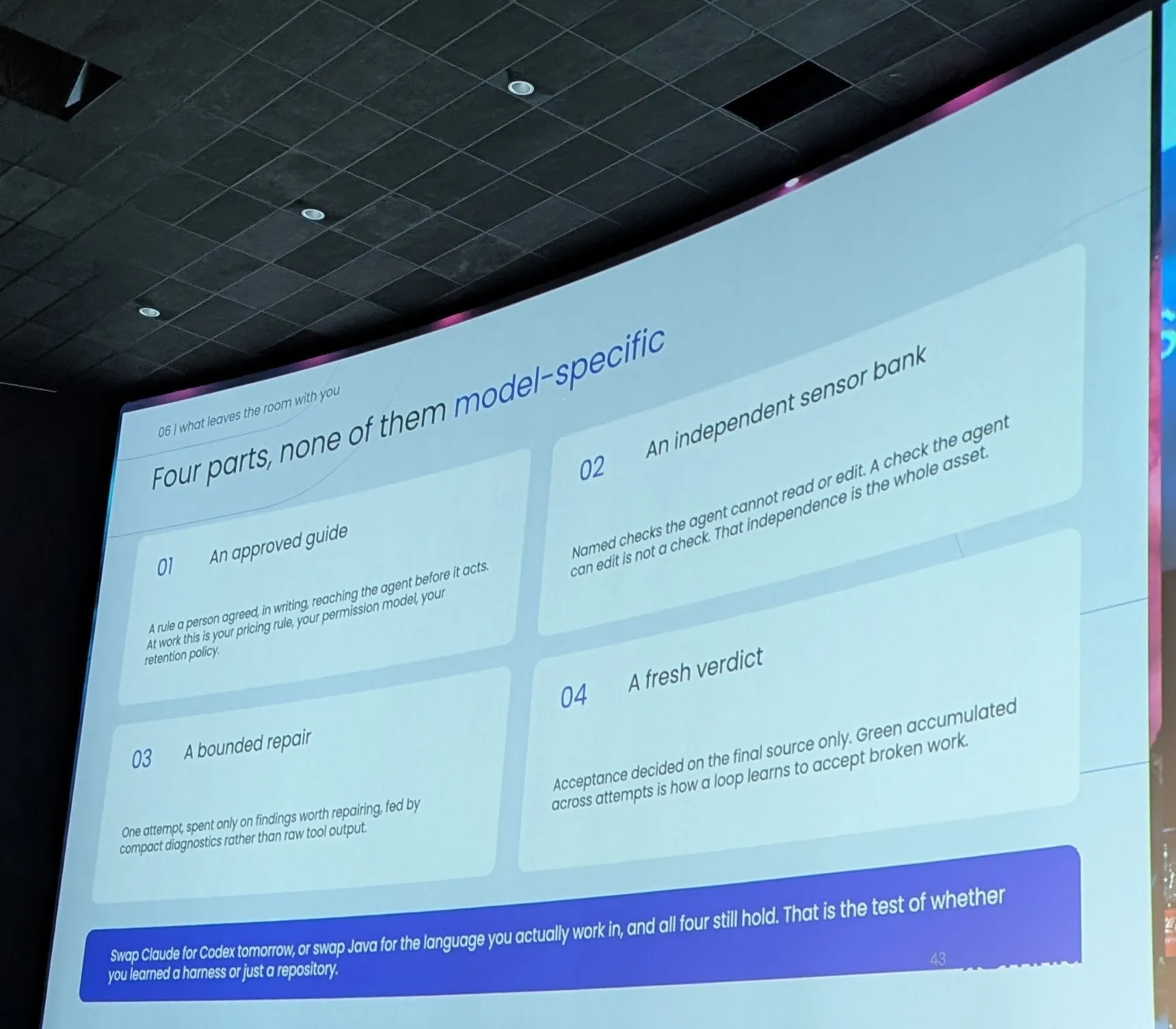
- Agent = model + Harness
- Harness-engenering martin fowler
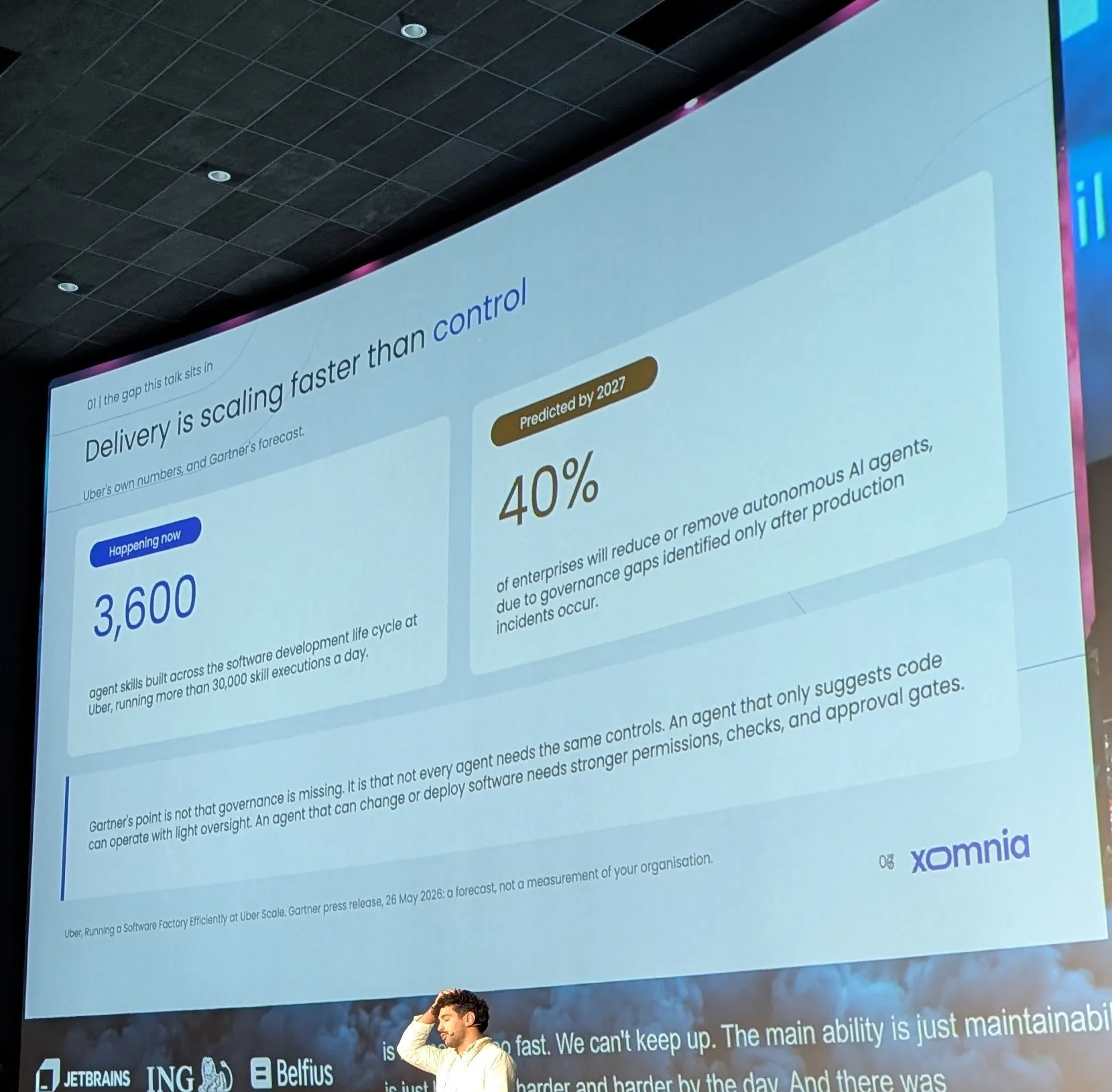
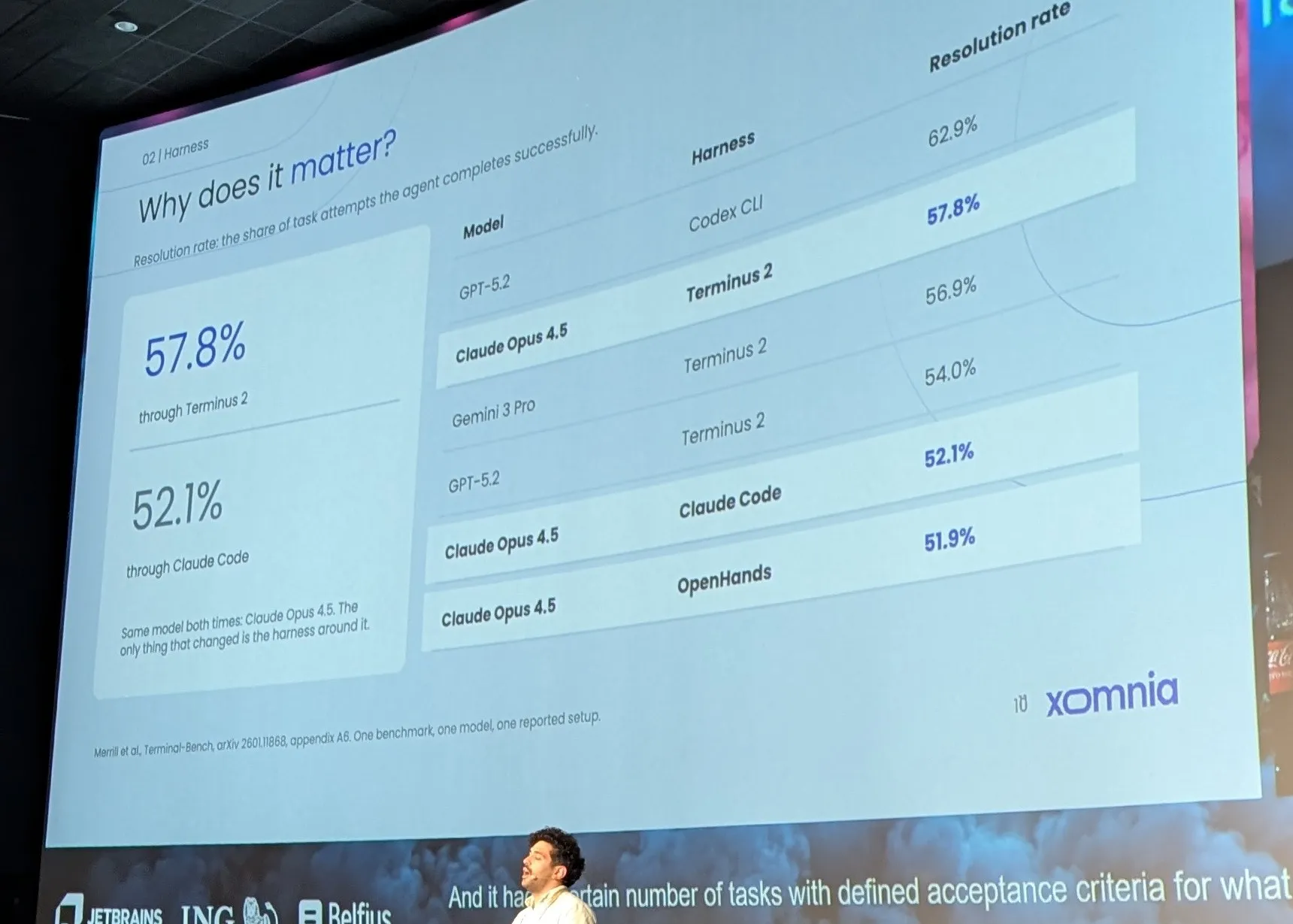
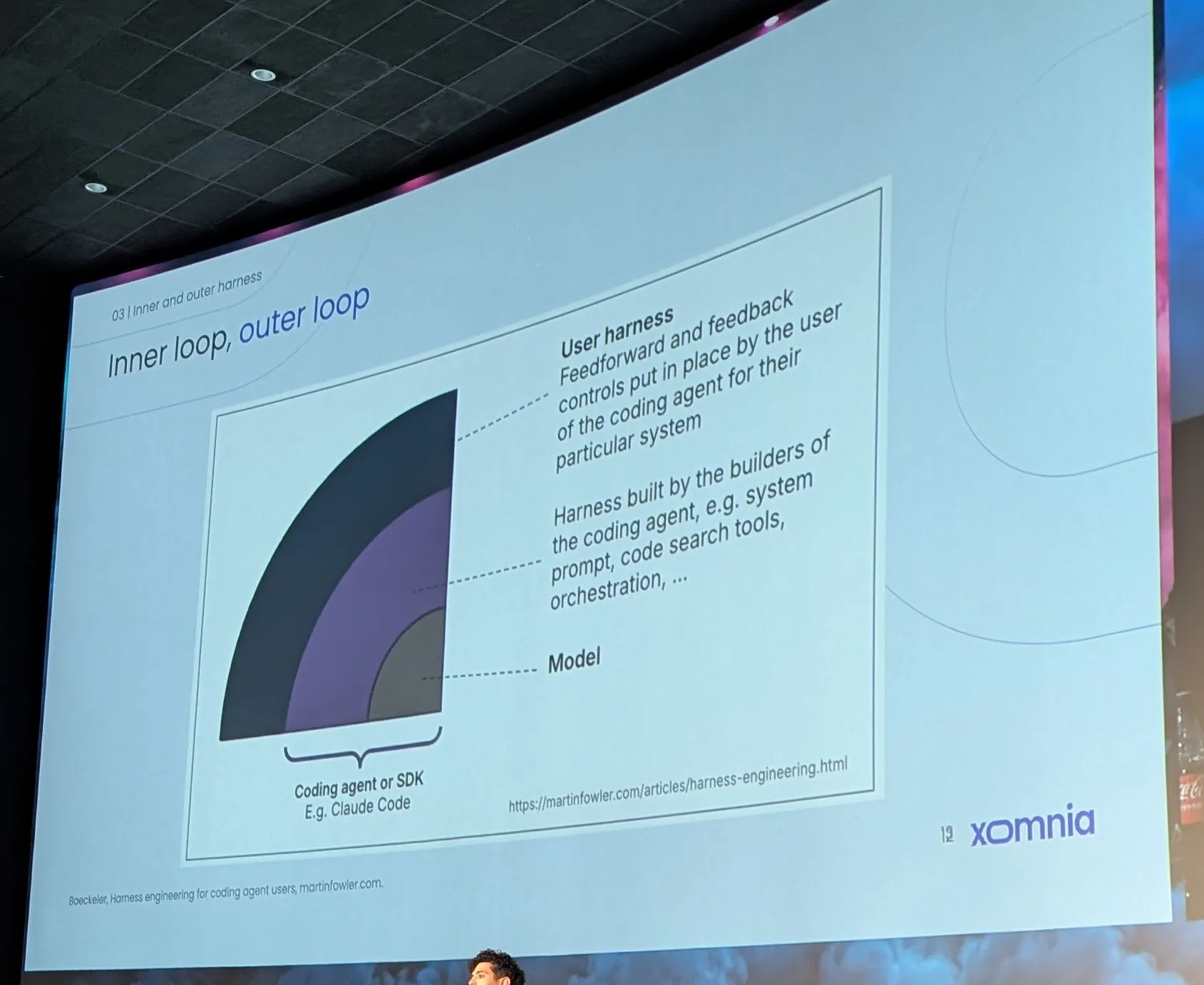
- he speek about Budget and take core of it
- Boeckeler’s a women
- 1- lint ? (java)
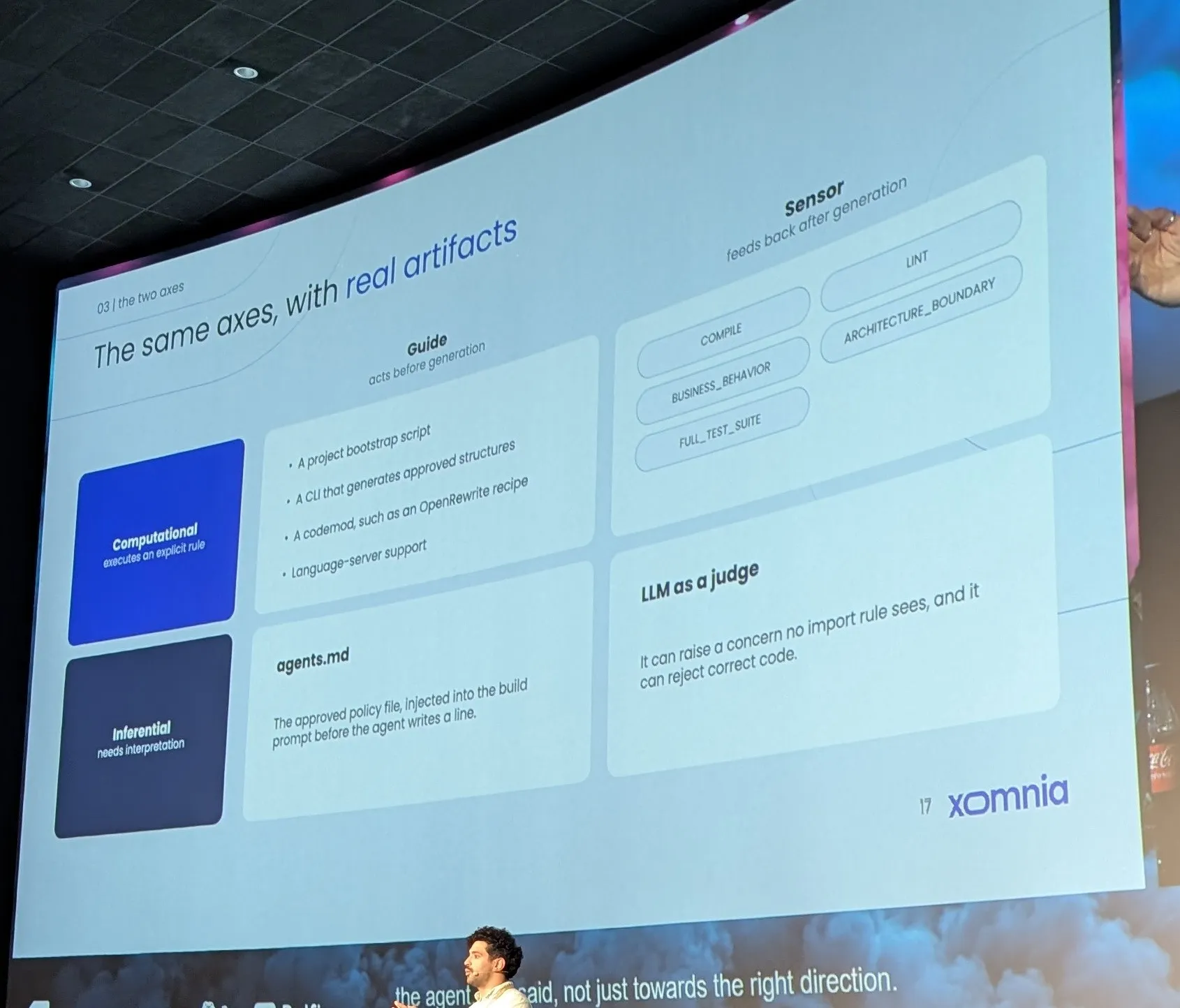
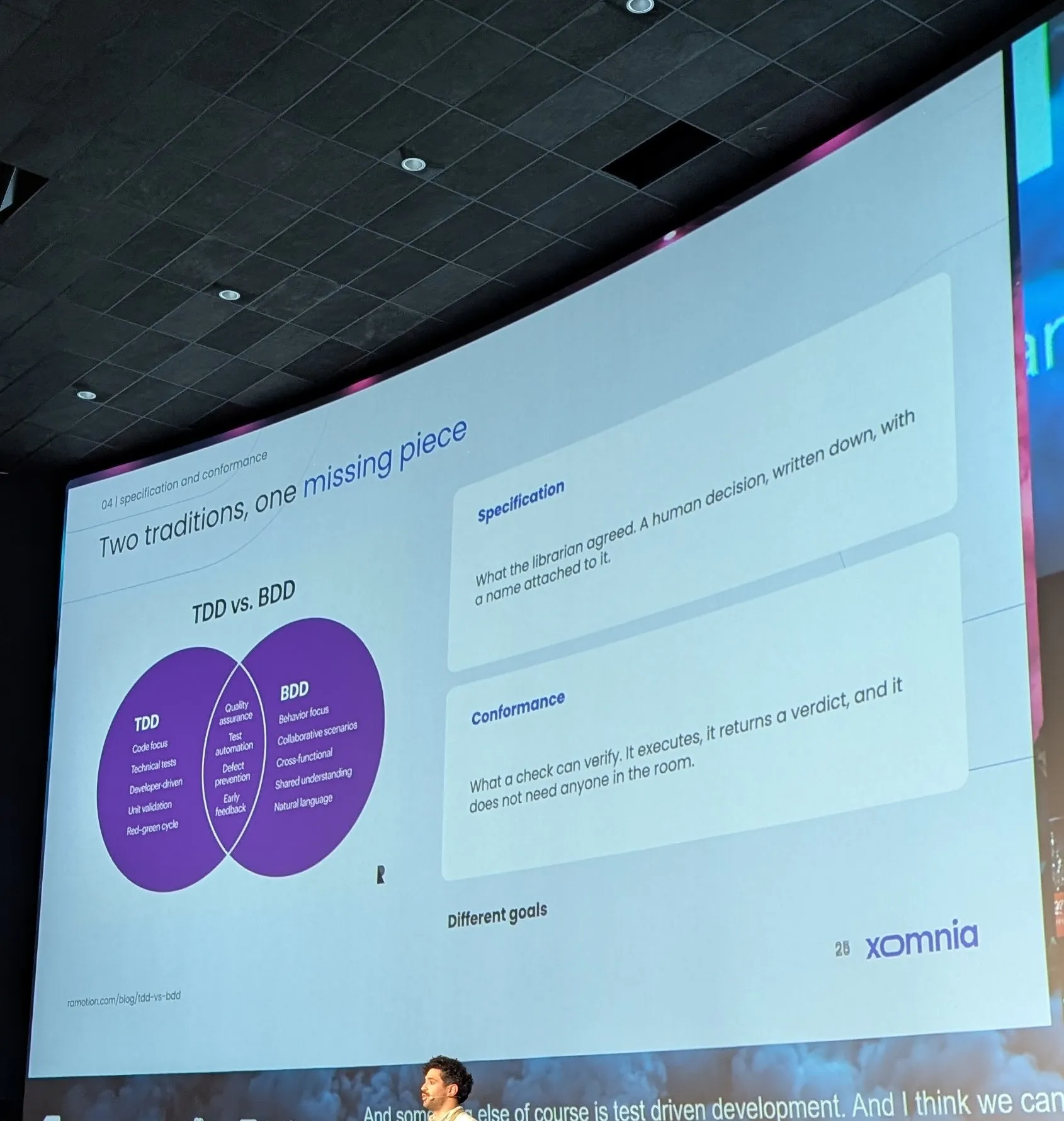
- lint
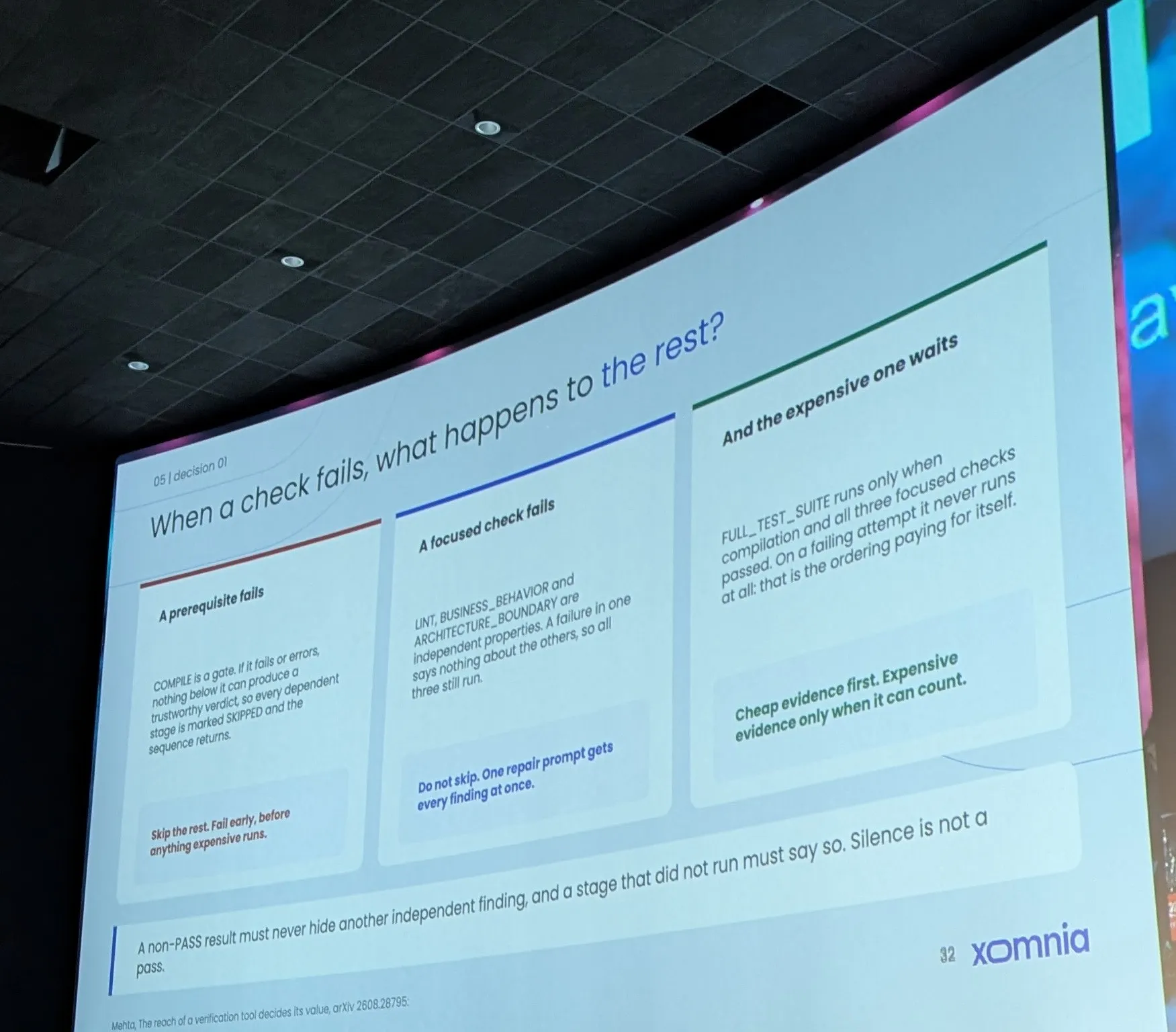
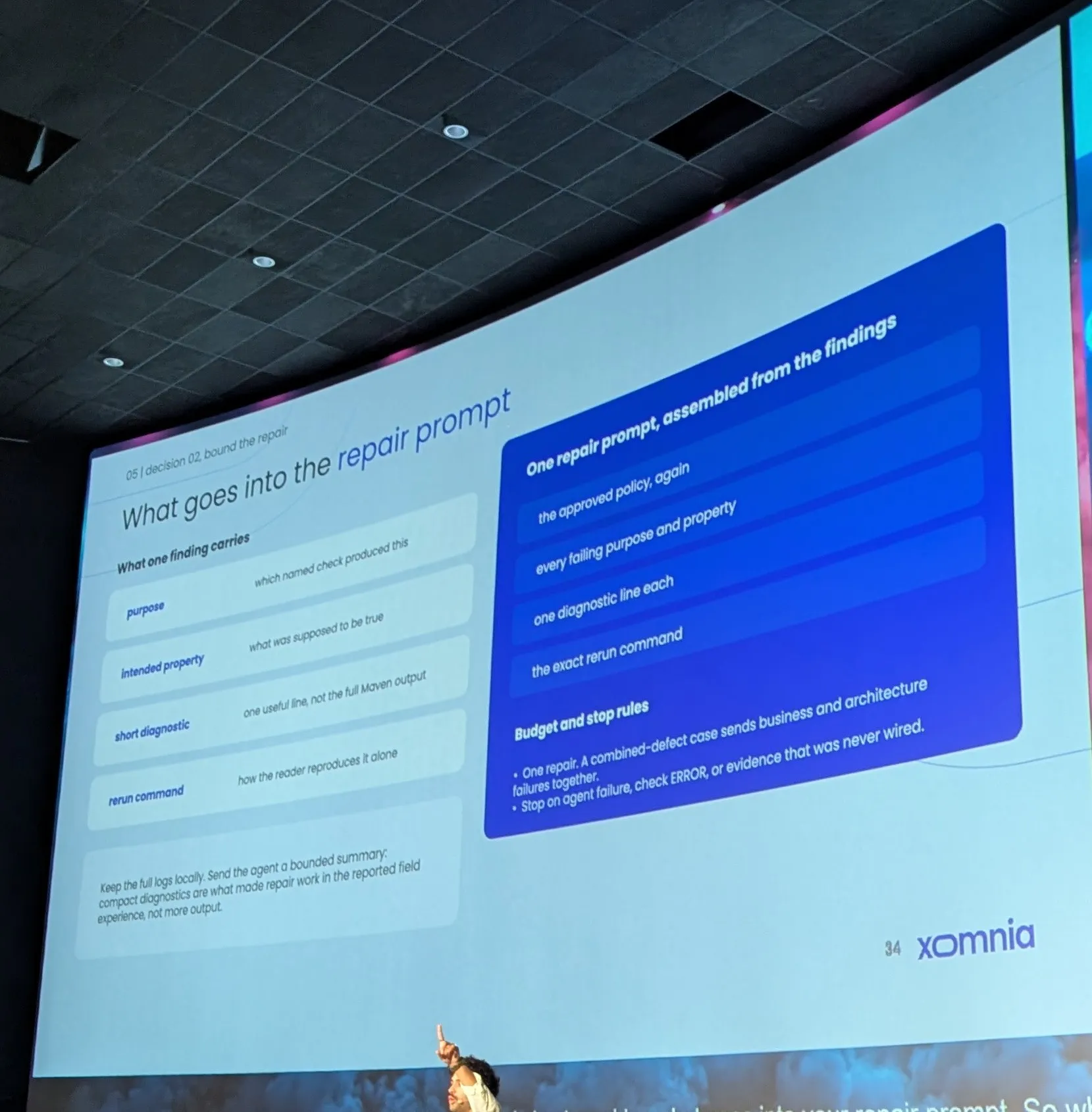
- MC [?] Bring lib for Angular
- lot about java test and Deterministic tool But not about hardness [?] until now
Extra notes
Section titled “Extra notes”Here is an overview of the main linting and static analysis tools, grouped by role and ecosystem.
1. Java ecosystem
Section titled “1. Java ecosystem”In Java, tooling is usually split between style, deep bug detection and architecture rules:
- Checkstyle: checks coding conventions (naming, indentation, unused imports, visibility). Integrates directly via Maven/Gradle.
- SpotBugs (successor of FindBugs): analyses compiled Java bytecode to find concrete bug patterns (
nulldereferences, descriptor leaks, concurrency flaws). - Google Error Prone: runs as a direct
javacplugin. It catches common errors at compile time and can suggest automatic fixes. - PMD: analyses the source AST (syntax tree) to spot dead code, excessive cyclomatic complexity or sub-optimal patterns.
- ArchUnit: writes architecture rules as ordinary JUnit tests. Checks package dependencies, annotation conventions and layer boundaries (e.g. DDD / Hexagonal).
- Spotless: versatile code formatter, often combined with
palantir-java-formatorgoogle-java-formatfor strict formatting without manual work.
2. Tools for AI agents and development contexts
Section titled “2. Tools for AI agents and development contexts”These linters target the instructions, contexts and configurations given to coding models:
- agentlint (
agentlint.sh): analysesAGENTS.mdorCLAUDE.mdfiles to check that referenced files exist, build commands work and there is no context drift. - repomix / repolint: audit tools to check the structure and size of repositories before feeding them into an LLM context.
- dotenv-linter: checks syntax, duplicate keys and ordering of environment variables (
.env), avoiding environment config errors for local agents.
3. Other major ecosystems
Section titled “3. Other major ecosystems”| Language / Scope | Reference tools | Strengths |
|---|---|---|
| TypeScript / JavaScript | ESLint (rules & logic) Biome / Prettier (fast formatting) | Industry standard of the web ecosystem; modular rules and typing plugins. |
| Python | Ruff Mypy | Ruff (written in Rust) replaces Flake8, Black and isort with near-instant speed. Mypy handles static typing. |
| Go | golangci-lint | Meta-linter running dozens of Go tools (govet, staticcheck, etc.) in parallel. |
| Rust | Clippy | Ships with the standard Rust toolchain; detects inefficiencies and non-idiomatic code. |
| Infrastructure / DevOps | Hadolint (Dockerfiles) TFLint (Terraform) actionlint (GitHub Actions) | Prevents infrastructure configuration errors before they run in CI/CD. |
CodeQL (developed by GitHub / Semmle) goes far beyond a simple linter: it is a semantic and security analysis engine that treats code as data.
Rather than analysing text or just the AST (like Checkstyle or PMD), CodeQL compiles the source code to build a real relational database representing:
- The abstract syntax tree (AST)
- The control flow graph (CFG)
- The data flow graph
- Untrusted data propagation analysis (taint tracking)
Why CodeQL is different from a standard linter
| Criterion | Classic linter (Checkstyle, SpotBugs, ESLint) | CodeQL |
|---|---|---|
| Scope | Local (file by file or class by class) | Global / inter-procedural (follows data across the whole project) |
| Main goal | Conventions, common bugs, code quality | Critical security flaws (CWE, CVE, OWASP Top 10) |
| Key mechanism | AST / bytecode pattern filtering | Declarative queries (QL language) on data flow (taint analysis) |
| Typical example | “Unused variable” or “Suspicious object equality” | “An unfiltered HTTP input reaches an SQL query through 5 services” |
The key benefit: taint tracking
The core concept of CodeQL rests on three elements:
- Source: an unsafe entry point (e.g. a Spring @RequestParam, a CLI argument, an HTTP header).
- Sink: a sensitive function where running unsanitised data is dangerous (e.g. EntityManager.createNativeQuery(), Runtime.getRuntime().exec(), LDAPContext.search()).
- Sanitizer: a method that cleans or validates the data (e.g. a cast to an integer, a regex validation).
CodeQL mathematically traces the path from the Source to the Sink. If there is no valid Sanitizer on the path, the rule raises an alert.
CodeQL in a world of AI agents
For a coding agent (e.g. OpenCode, Claude Code, GitHub Copilot):
- Guardrail against insecure “hallucinated” code: LLMs tend to generate code that compiles and passes unit tests but contains subtle deserialisation flaws, SQL injections or SSRF. CodeQL blocks these upstream.
- Standard SARIF format: CodeQL outputs its reports in the standard SARIF format (Static Analysis Results Interchange Format). This structured JSON includes the exact file coordinates, code snippets and the full vulnerable flow path, so an AI agent can parse the problem and iterate directly to fix it.
In short, while linters look after day-to-day cleanliness and architectural consistency, CodeQL is the deep security integrity scanner run at compile time or in the CI/CD pipeline.