Loop Engineering, beyond prompt, context, and harness engineering
Loop Engineering, beyond prompt, context, and harness engineering by Guillaume Laforge and Wietse Venema
Room 8 · Deep Dive · 09:30-12:30
Summary
Section titled “Summary”This session introduces “Loop Engineering,” where developers build automated systems that steer coding agents autonomously. It covers core primitives, loop architectures, and safety practices for creating self-driving workflows that investigate, implement, and verify code, replacing manual prompting with robust AI-driven automation.
Key points ⭐
Section titled “Key points ⭐”- 2:18:00 Video Zack Lloyd
Timeline
Section titled “Timeline”- stop prompting start engeneering
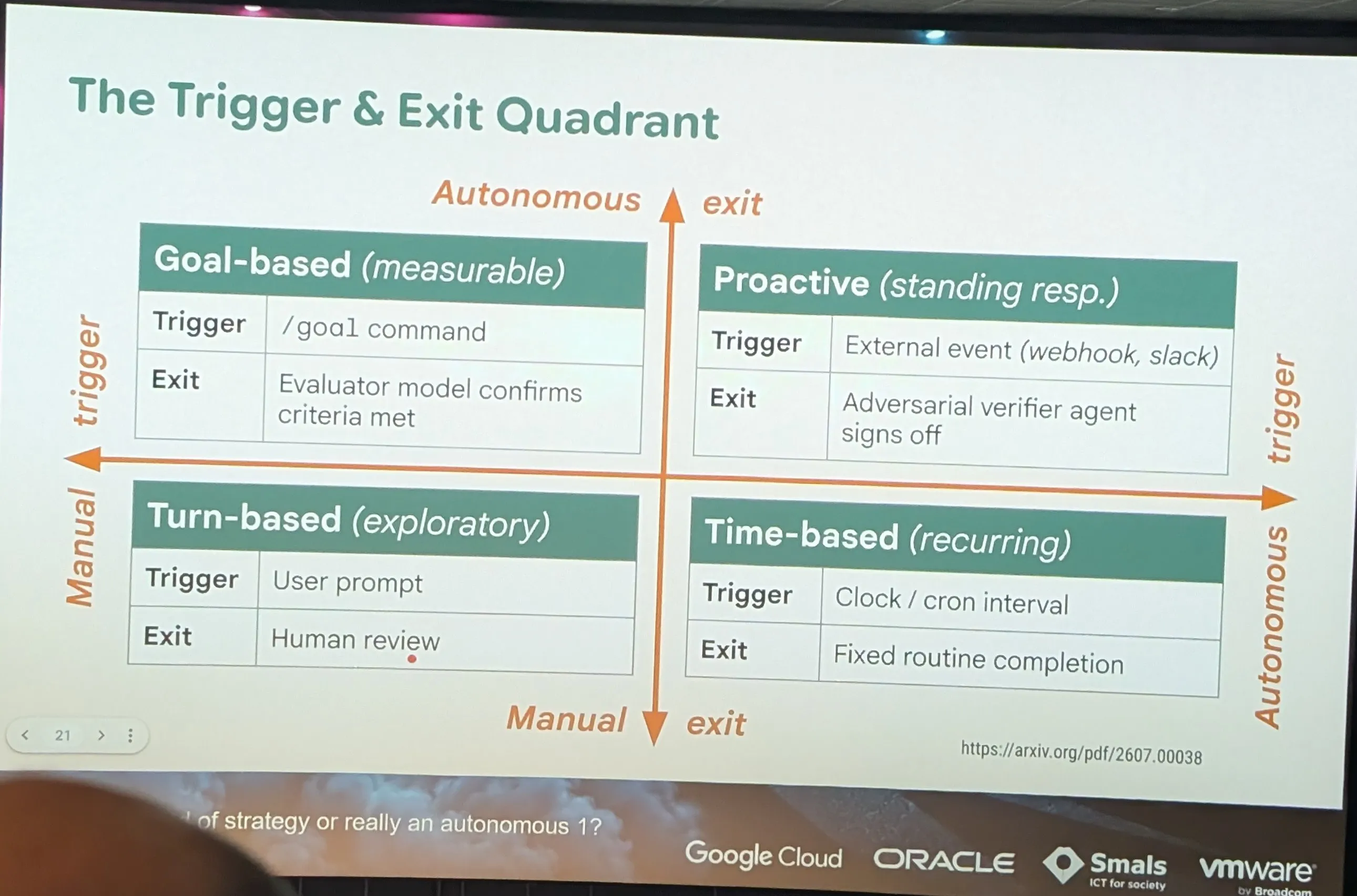
- agg [?] /goal /learn
Quick comparison of the loop commands in the three tools (as of October 2026):
/goal
| Codex CLI (OpenAI) | Antigravity (Google) | Claude Code (Anthropic) | |
|---|---|---|---|
| “Until the goal” loop | /goal <objective> |
/goal <objective> |
/goal <condition> |
| Available since | v0.128.0 (end of April 2026) | Antigravity 2.0 (IDE, desktop app, CLI agy) |
v2.1.139 (11 May 2026) |
| Who decides it’s done | The agent itself, via continuation prompts injected at the end of a turn | The agent, in its plan → execute → verify → fix loop | A separate evaluator model (Haiku), via a Stop hook |
| Safeguard | Configurable token budget | Build/test command on the last line of the prompt | “…or stop after N turns”, 1 goal per session, 4000 characters max |
| Periodic loop | — (via external plugins/scripts) | /schedule |
/loop <interval> <prompt> |
| Preparation before the loop | GOAL.md + AGENTS.md (community convention) |
/grill-me to freeze the spec |
/plan then /goal |
/learn
| Codex CLI | Claude Code | GitHub Copilot CLI | Google Antigravity | |
|---|---|---|---|---|
Native /learn |
No | No | No | No |
| Persistent memory | AGENTS.md, written by hand |
CLAUDE.md via /init, then /memory to edit it |
Copilot Memory, automatic, driven by /memory on|off|show |
Knowledge Items, automatic, plus hand-written rules and workflows |
| Who writes the learning | You, or the agent if you ask it | You, or the agent if you ask it | The agent, continuously | A dedicated sub-agent, at the end of each conversation |
| Turn into a skill | Skills (SKILL.md) |
Skills, plus a skill-creator | Skills in ~/.copilot/skills/ |
Skills in .agents/skills/ (project) or ~/.gemini/config/skills (global) |
| Governance | Files versioned in Git | Files versioned in Git | Repo and user settings on GitHub | Local Knowledge folder, browsable in the IDE |
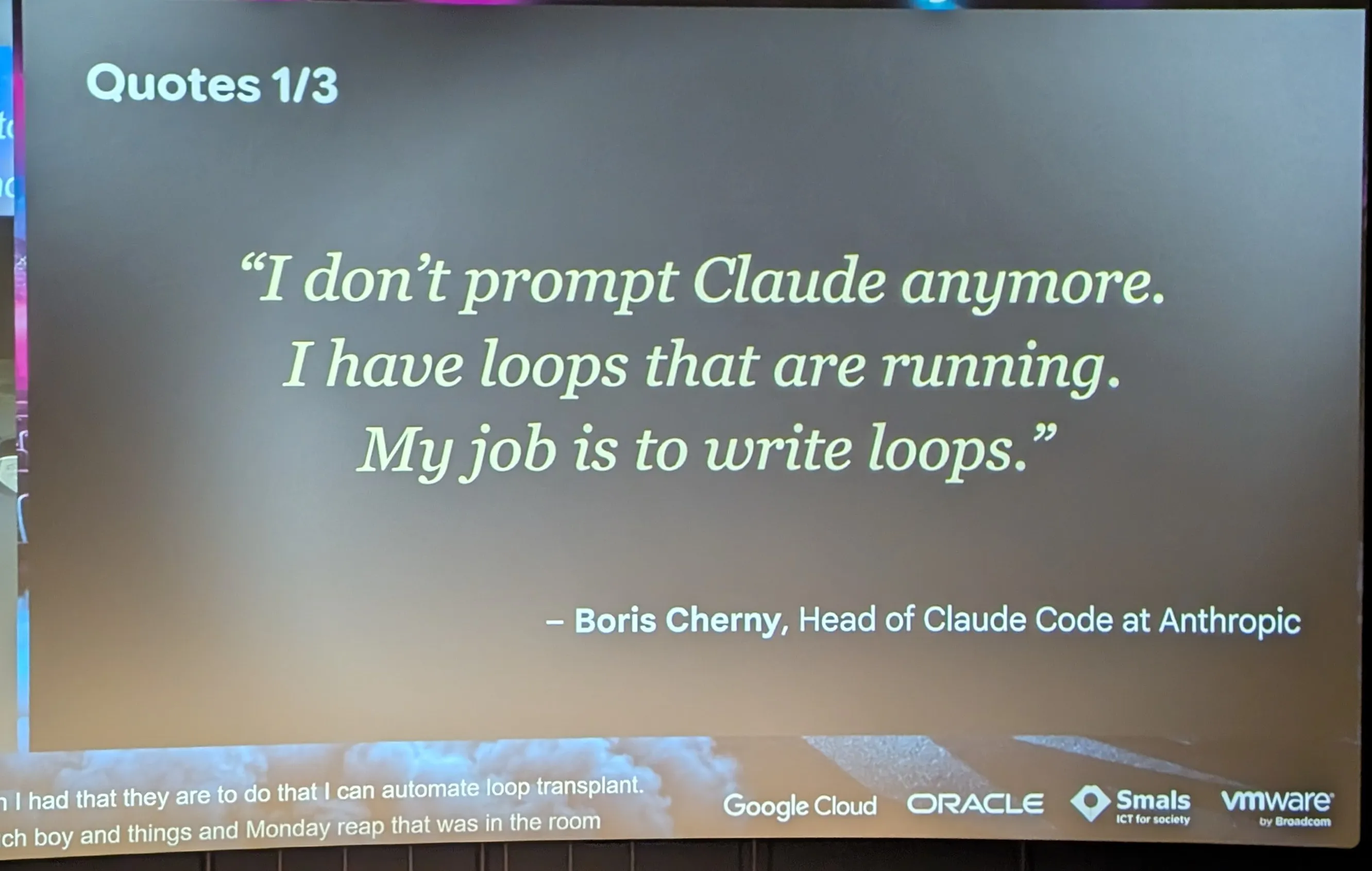
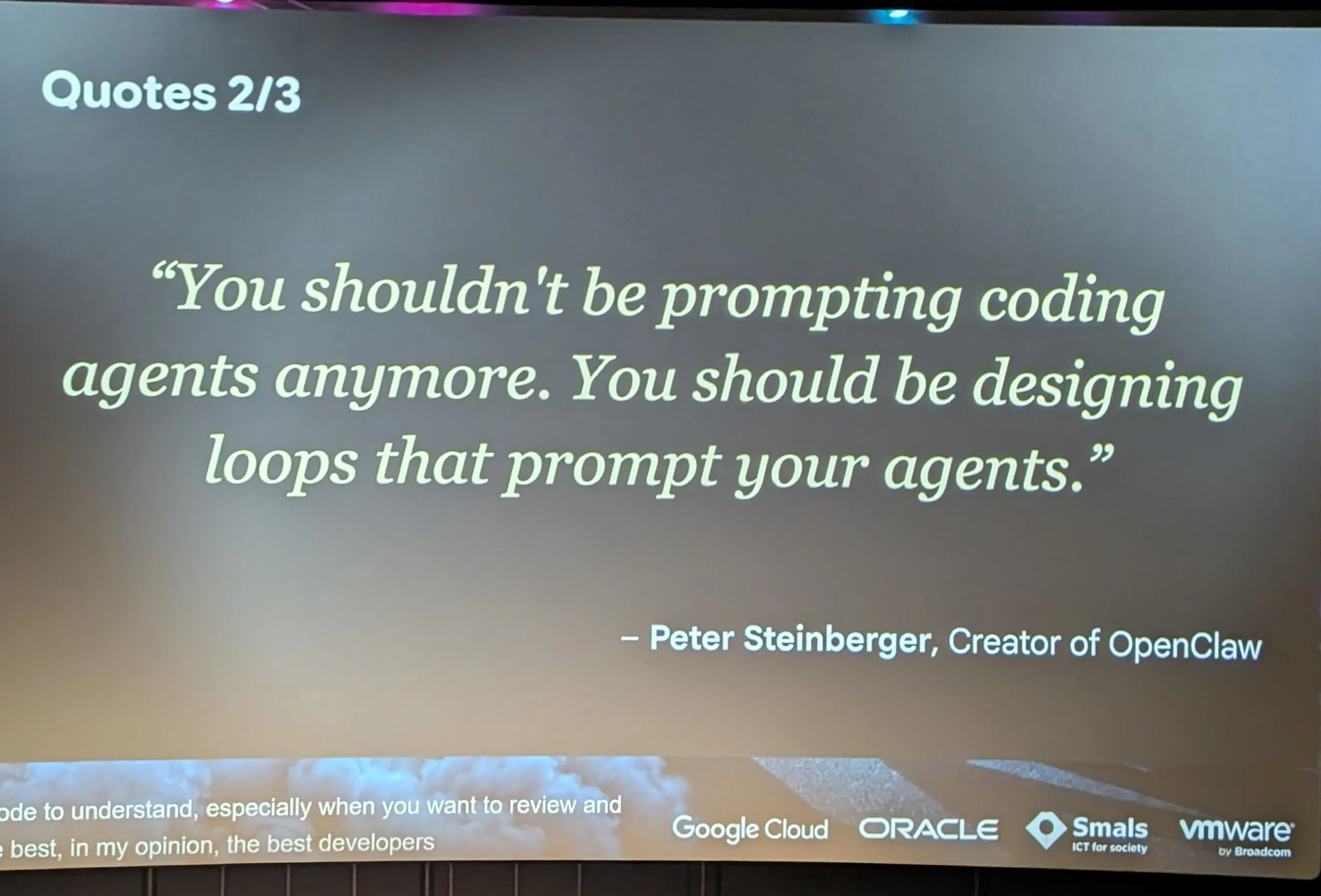
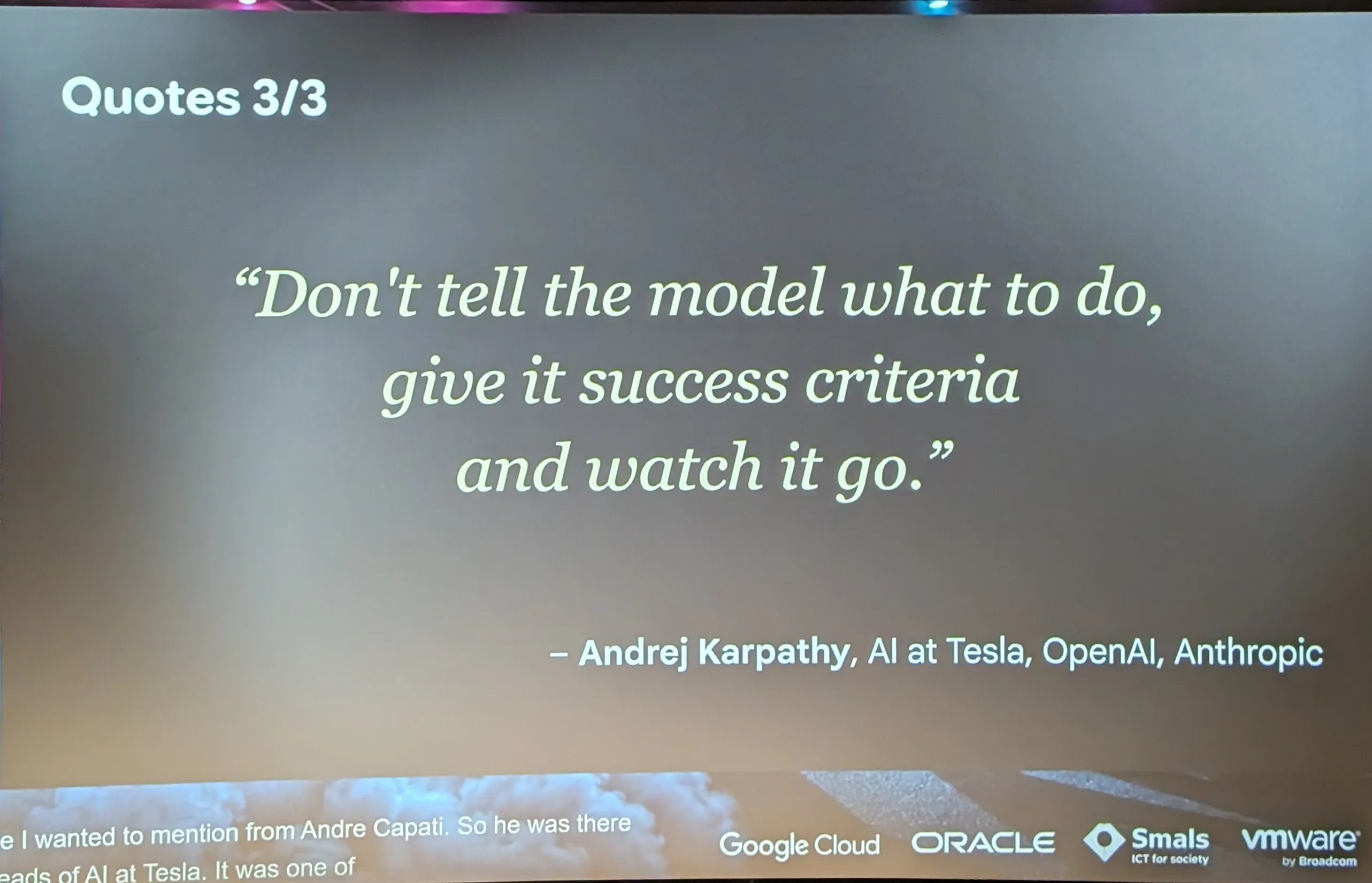
- quote
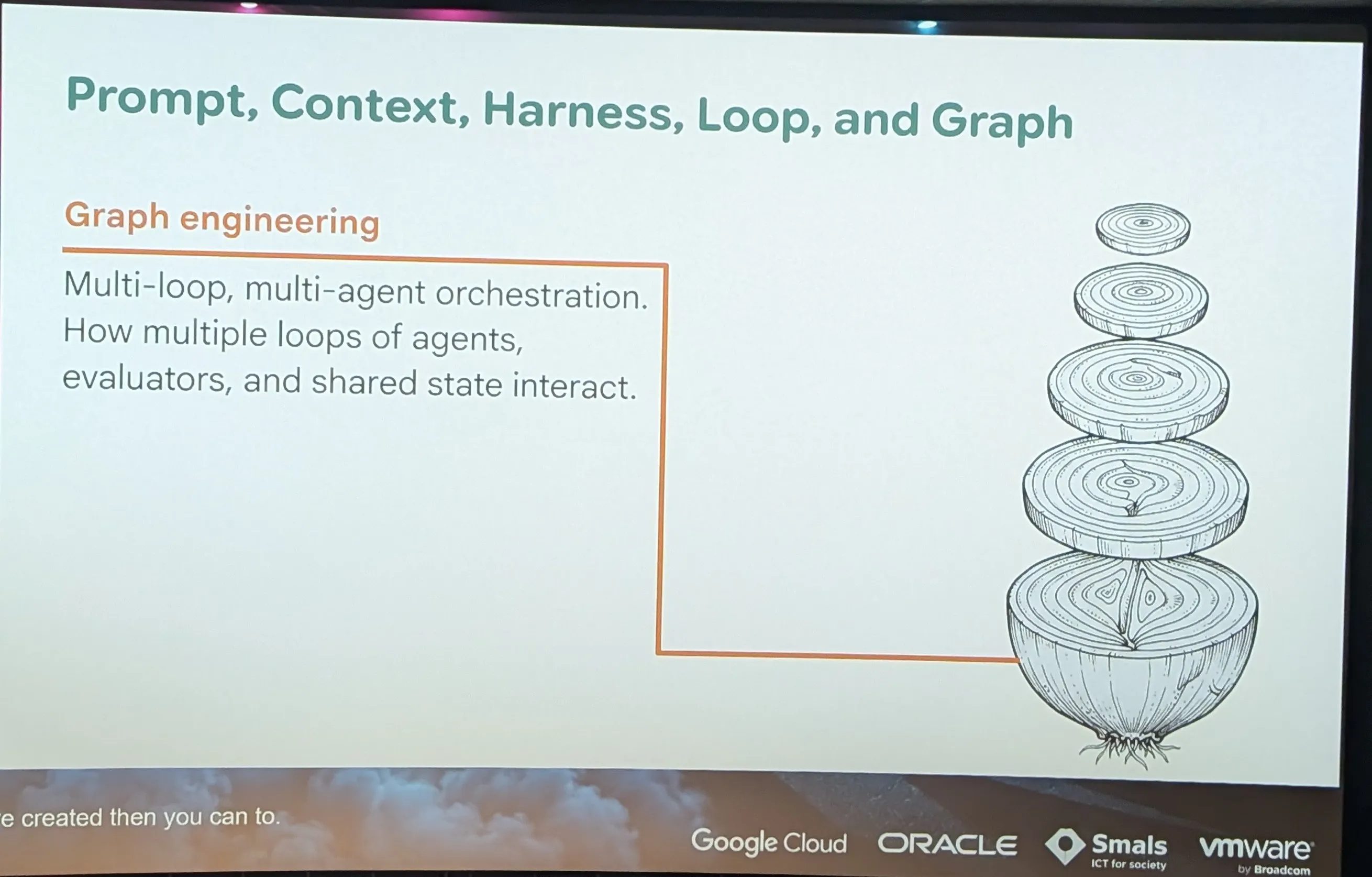
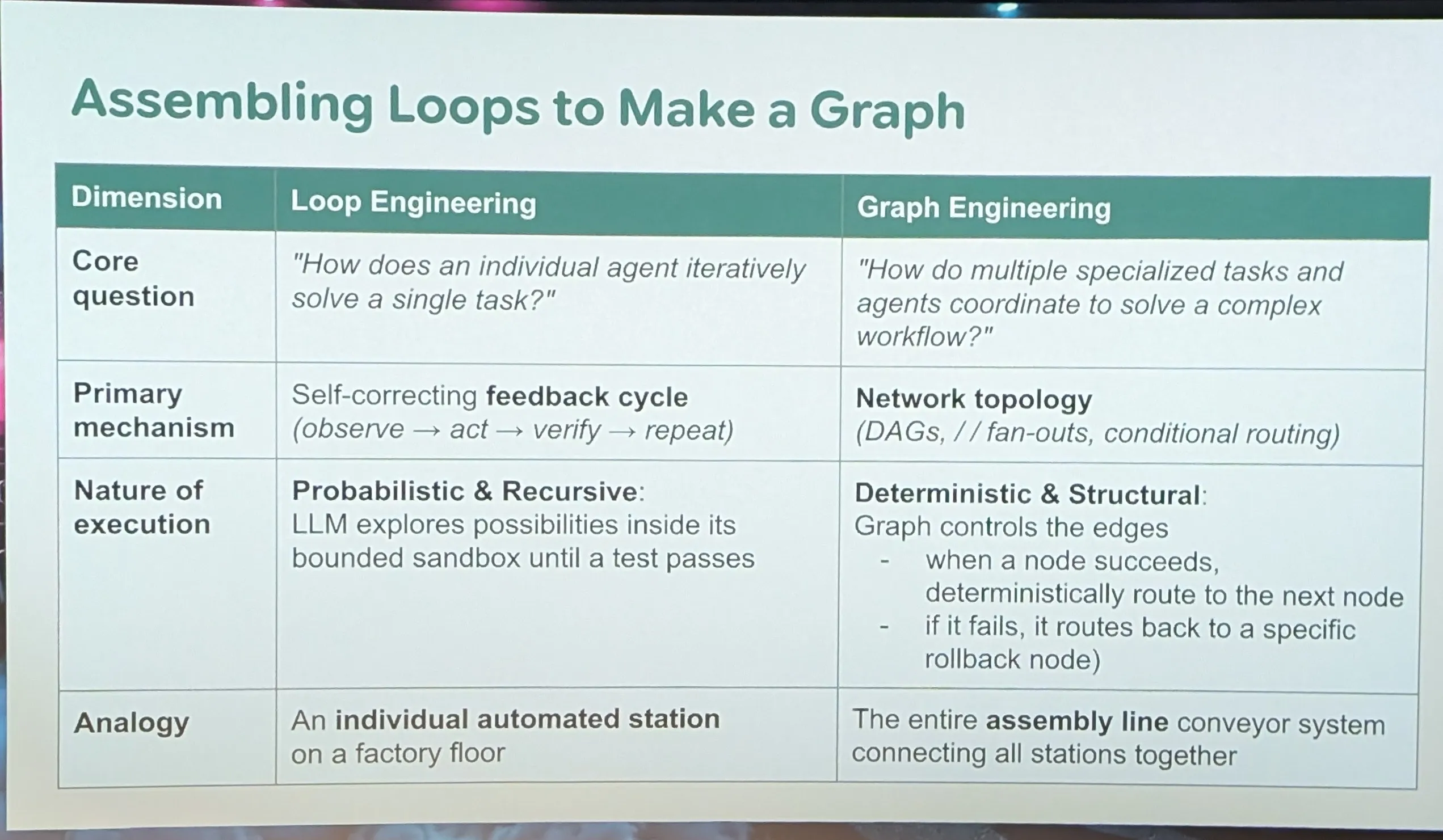
- Prompt , Context , Harness , loop , and graph
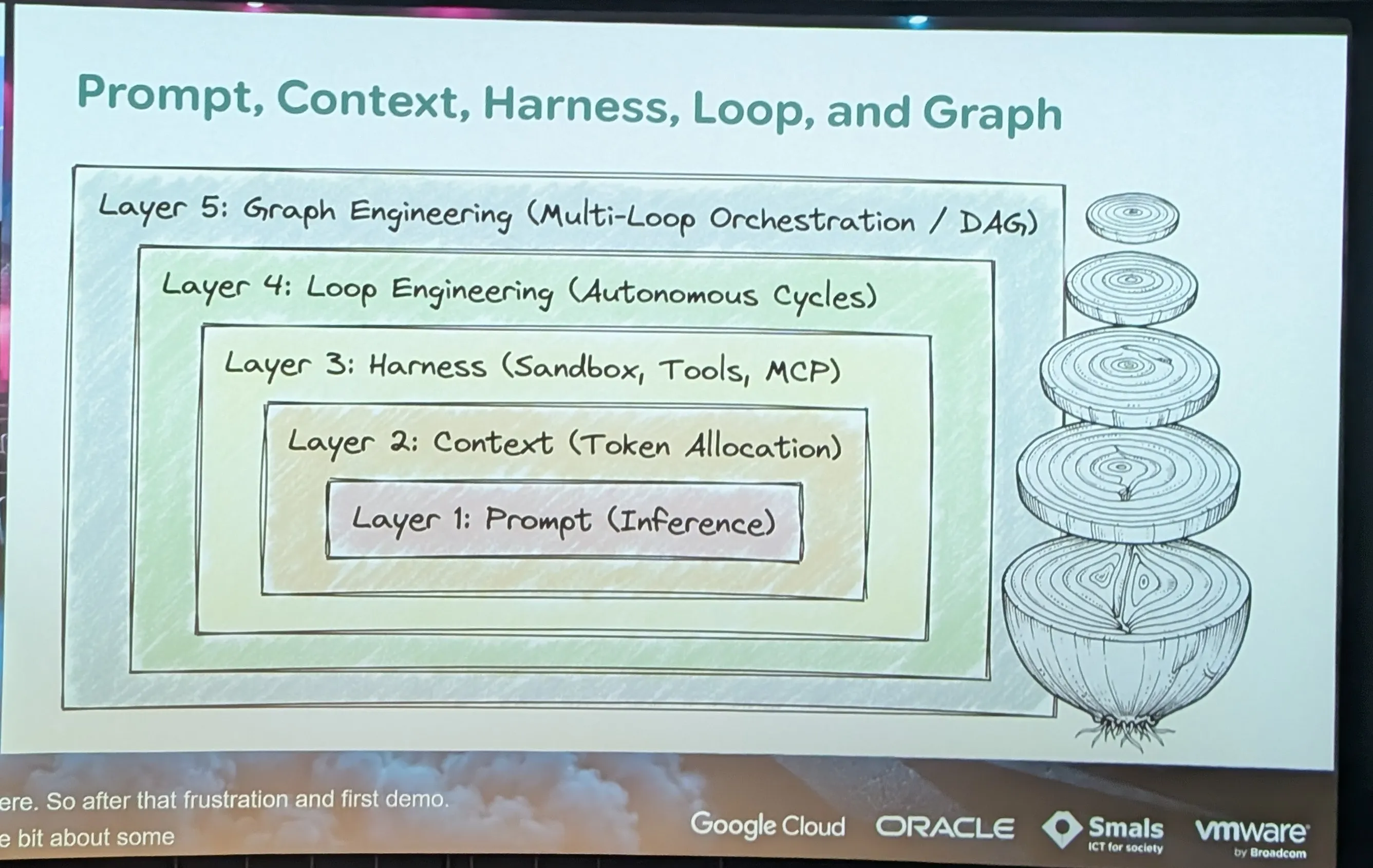
- graph -> multi loop
- SOP standard operated procédure
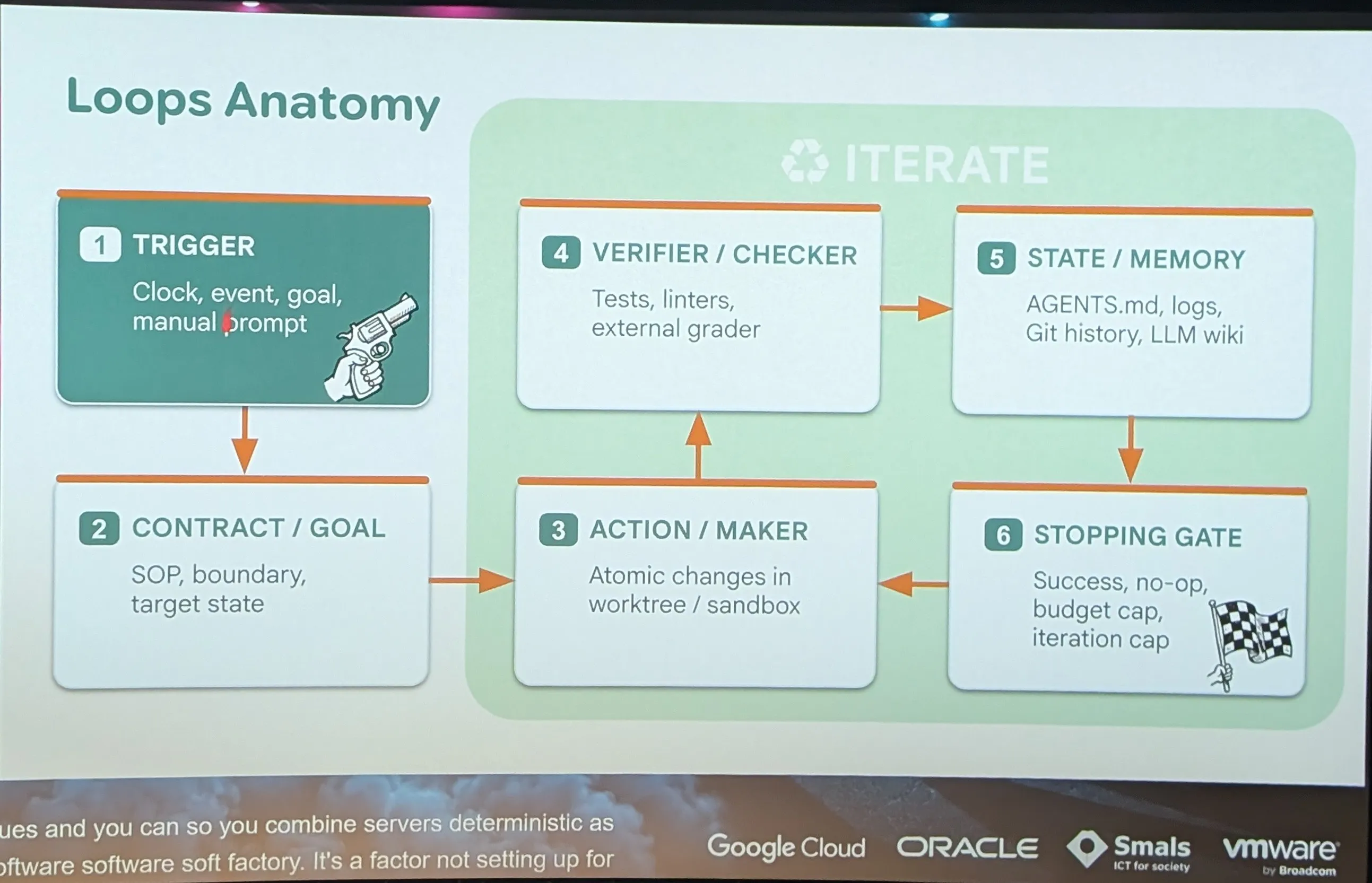
SOP vs skill
| SOP | Skill (Claude Code, Codex, Antigravity…) | |
|---|---|---|
| Reader | A human | An AI agent |
| Trigger | Someone decides to open it and follow it | The agent loads it itself when the frontmatter description matches the task, or via /skill-name |
| Loading | Read in full, once | Progressive: only the name and description stay in context, the body is loaded only when needed |
| Content | Text, checklists, screenshots | Instructions plus scripts, templates and reference files the agent can run |
| Tone | Prescriptive, exhaustive, often for audit and compliance | Decision-oriented, with only what the model doesn’t already know |
| Execution | The human acts | The agent acts, possibly by running the provided script |
| Verification | Signature, quality control | Test or build command the agent can run itself |
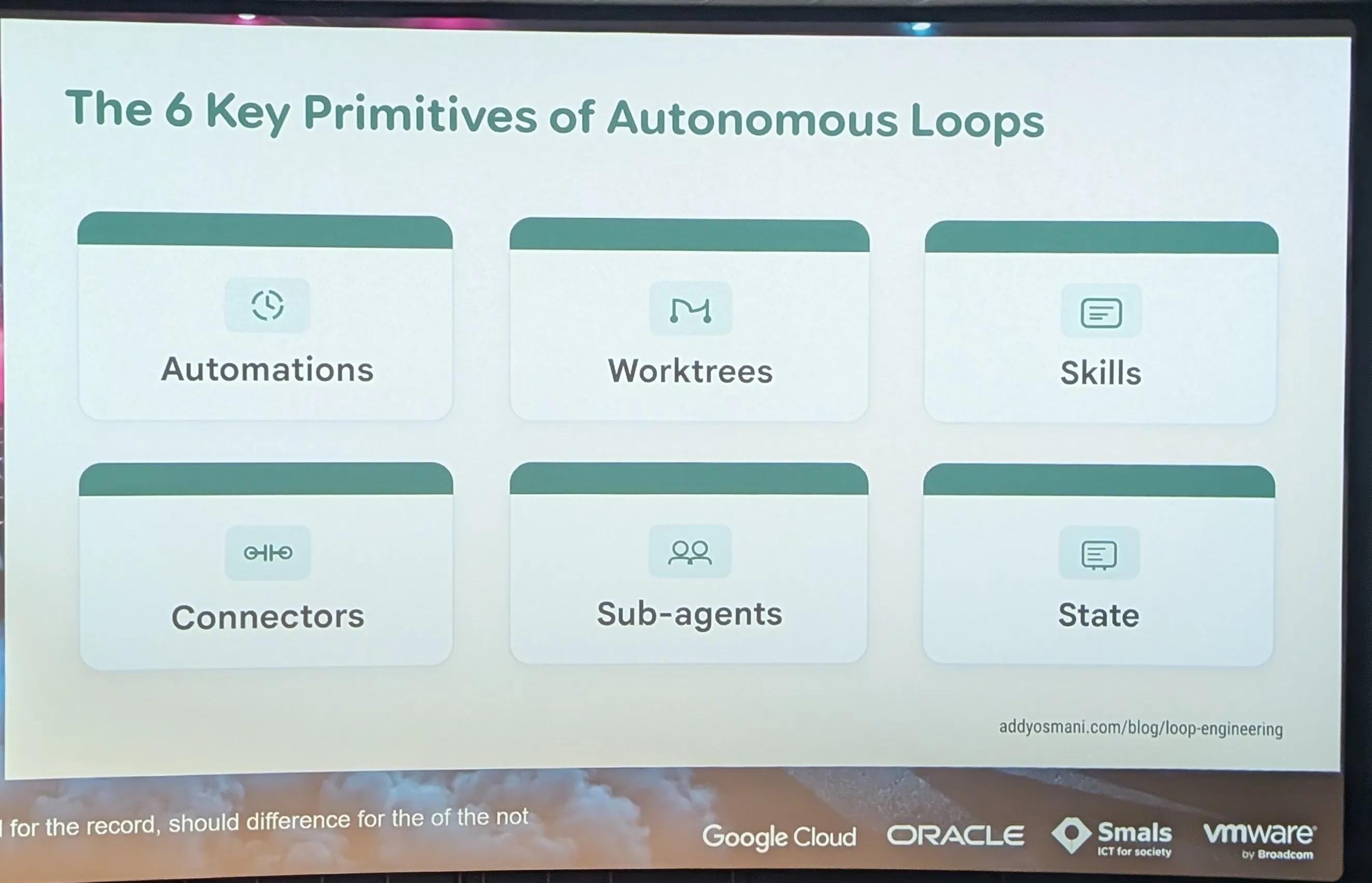
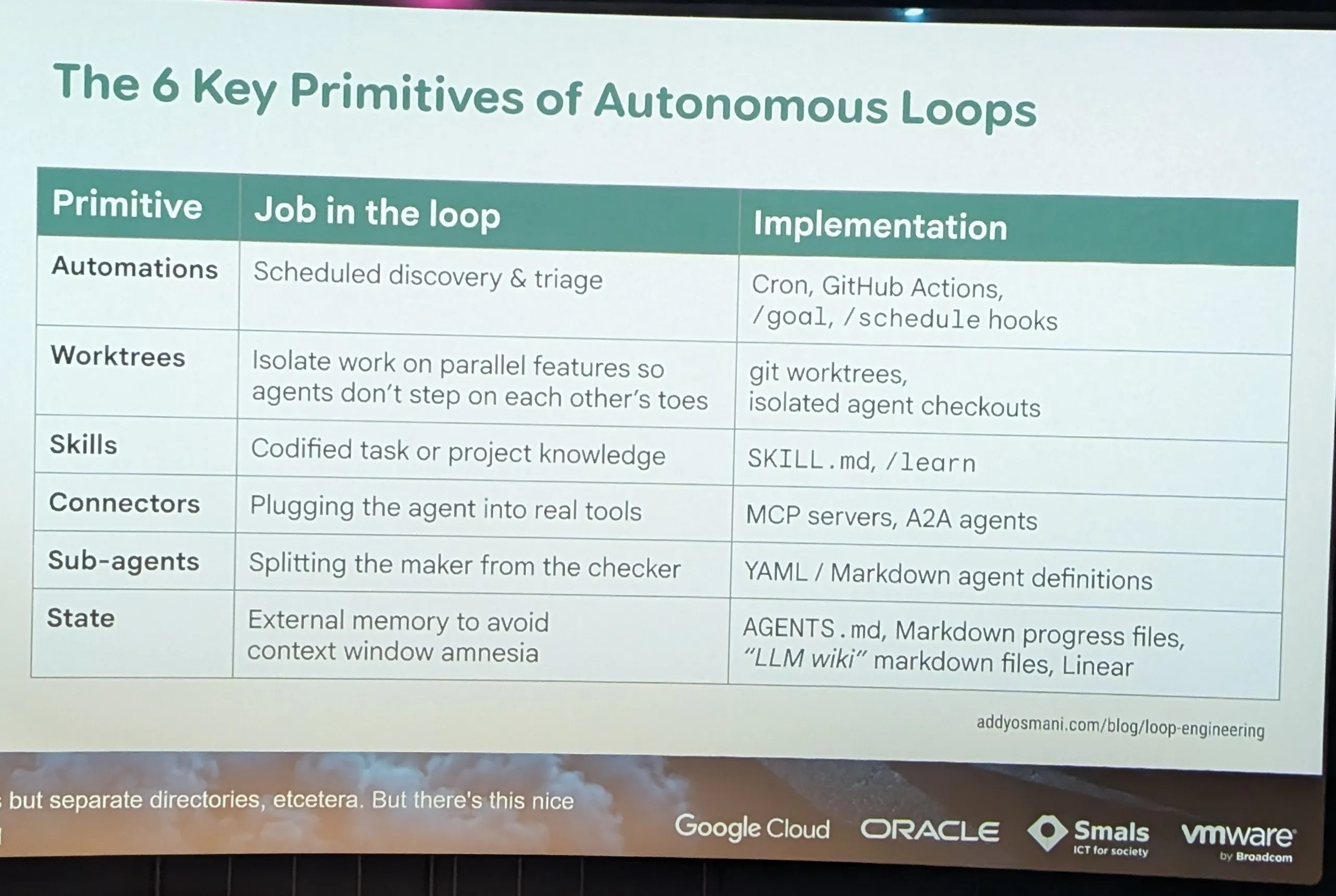
- /Browser
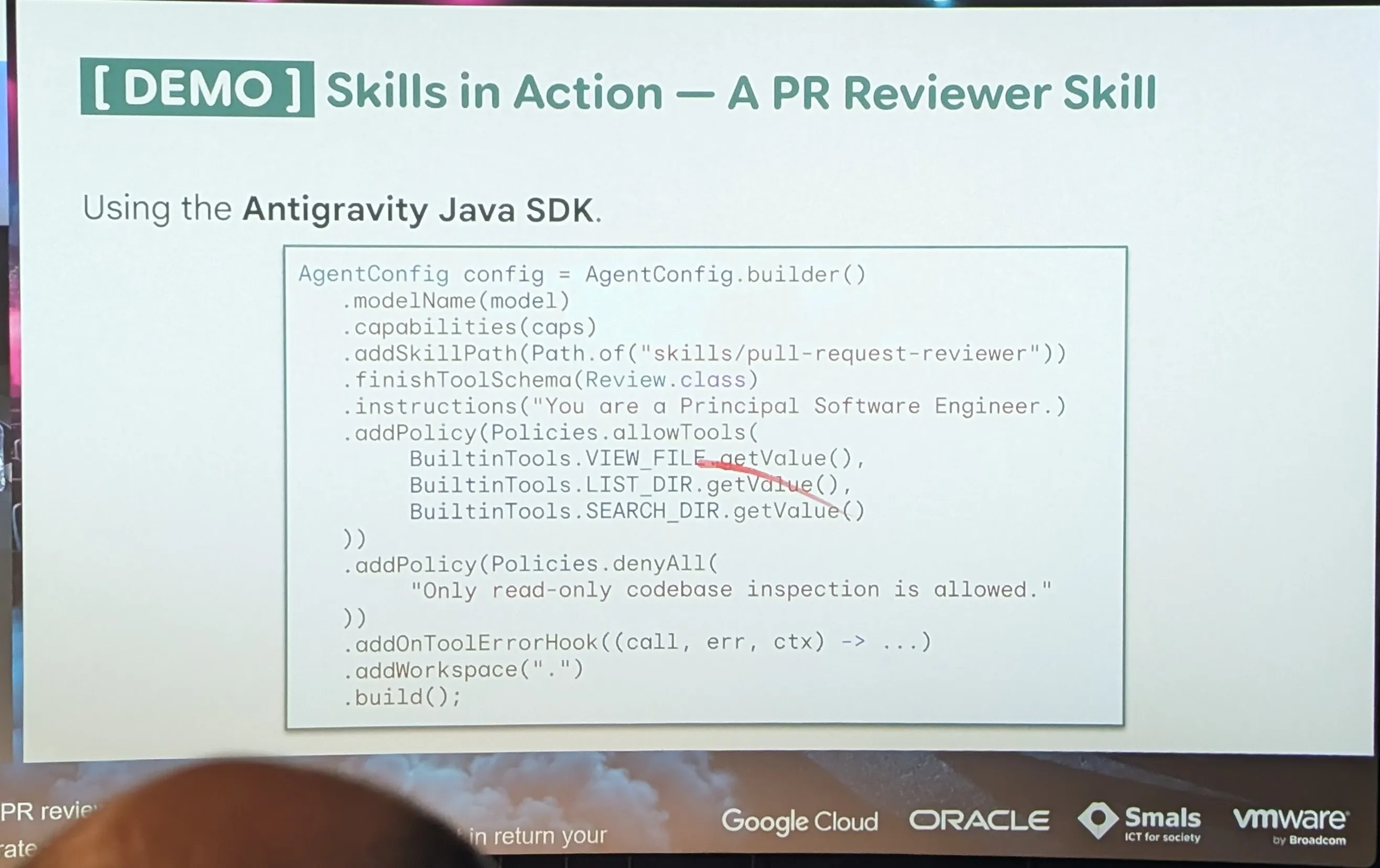
- Skills
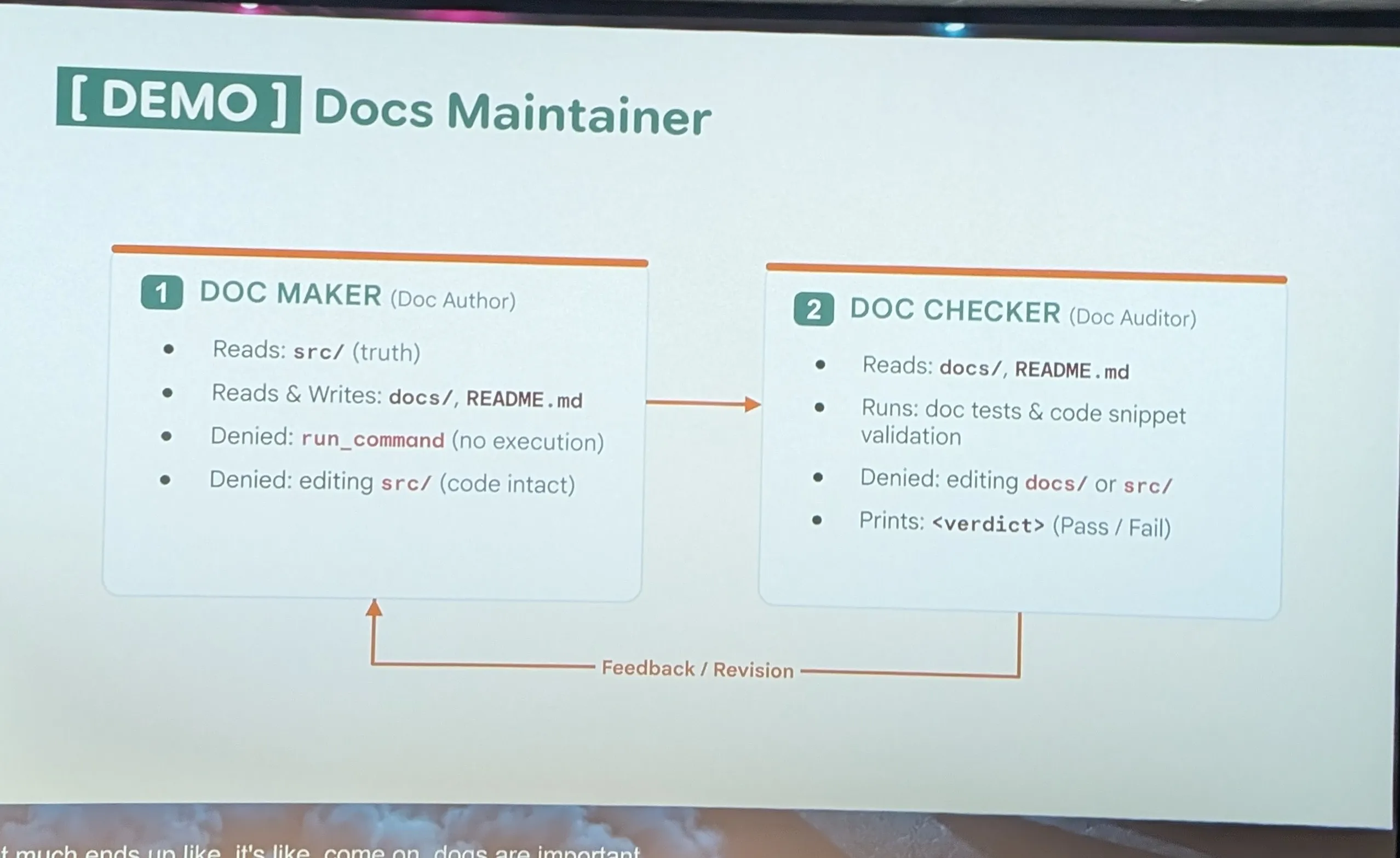
- every day loop Demo
- Model get distracted By Todo in the code
- More High thinking is set the more is Distracted
- Ralph loop explayn
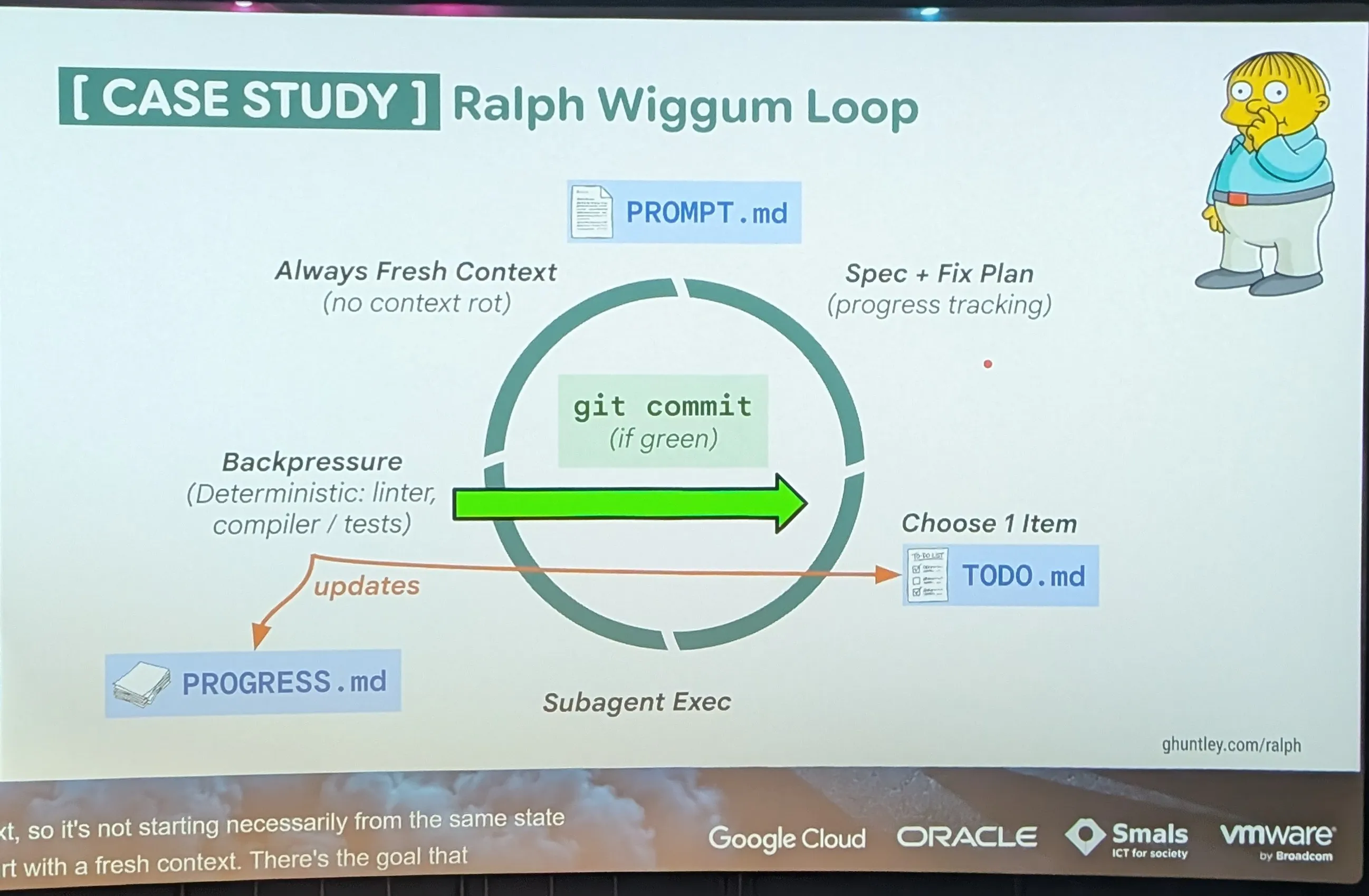
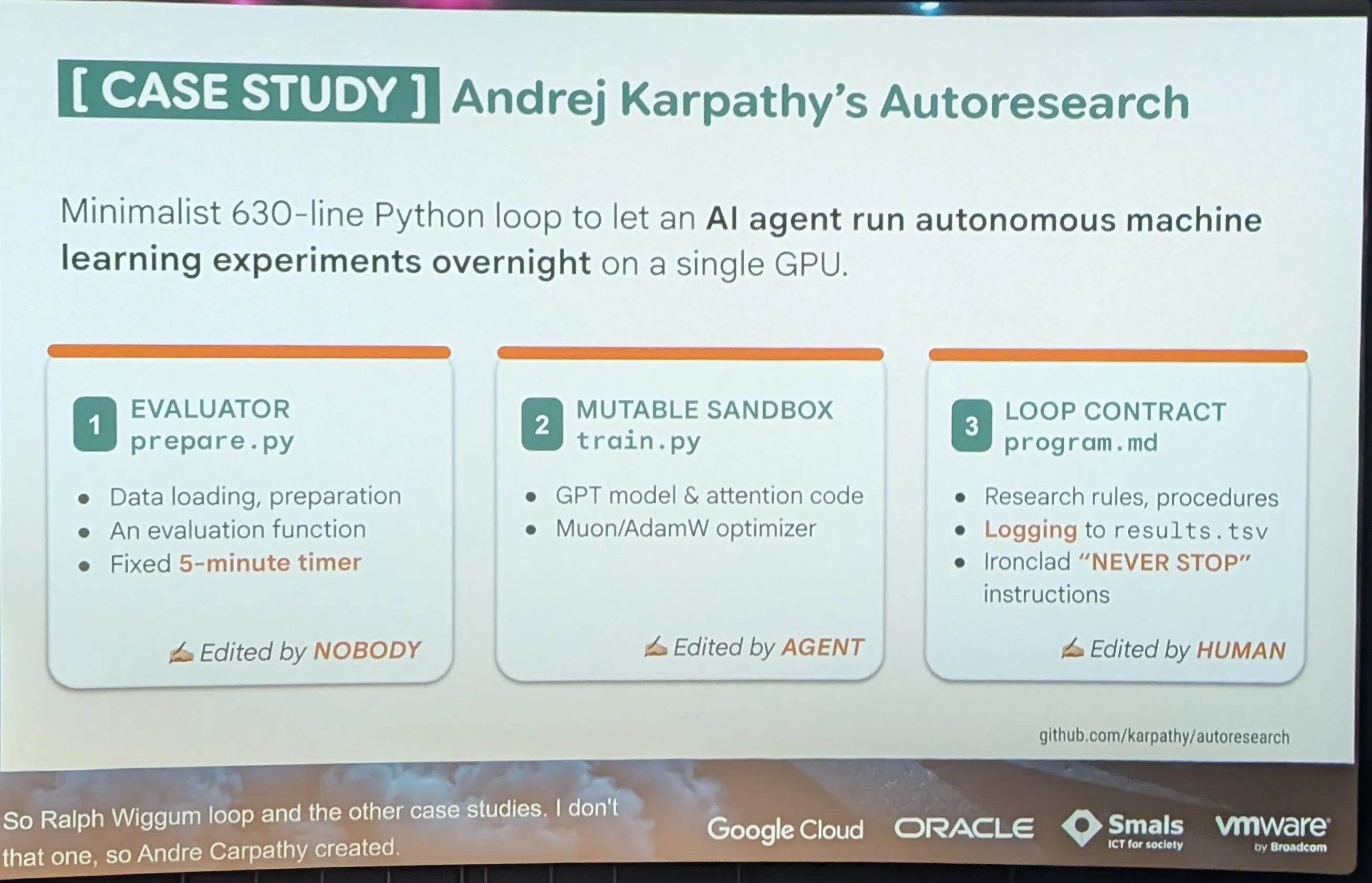
- self improving
- Andrej Karpathy’s Auto research
- Really specific to a contexte
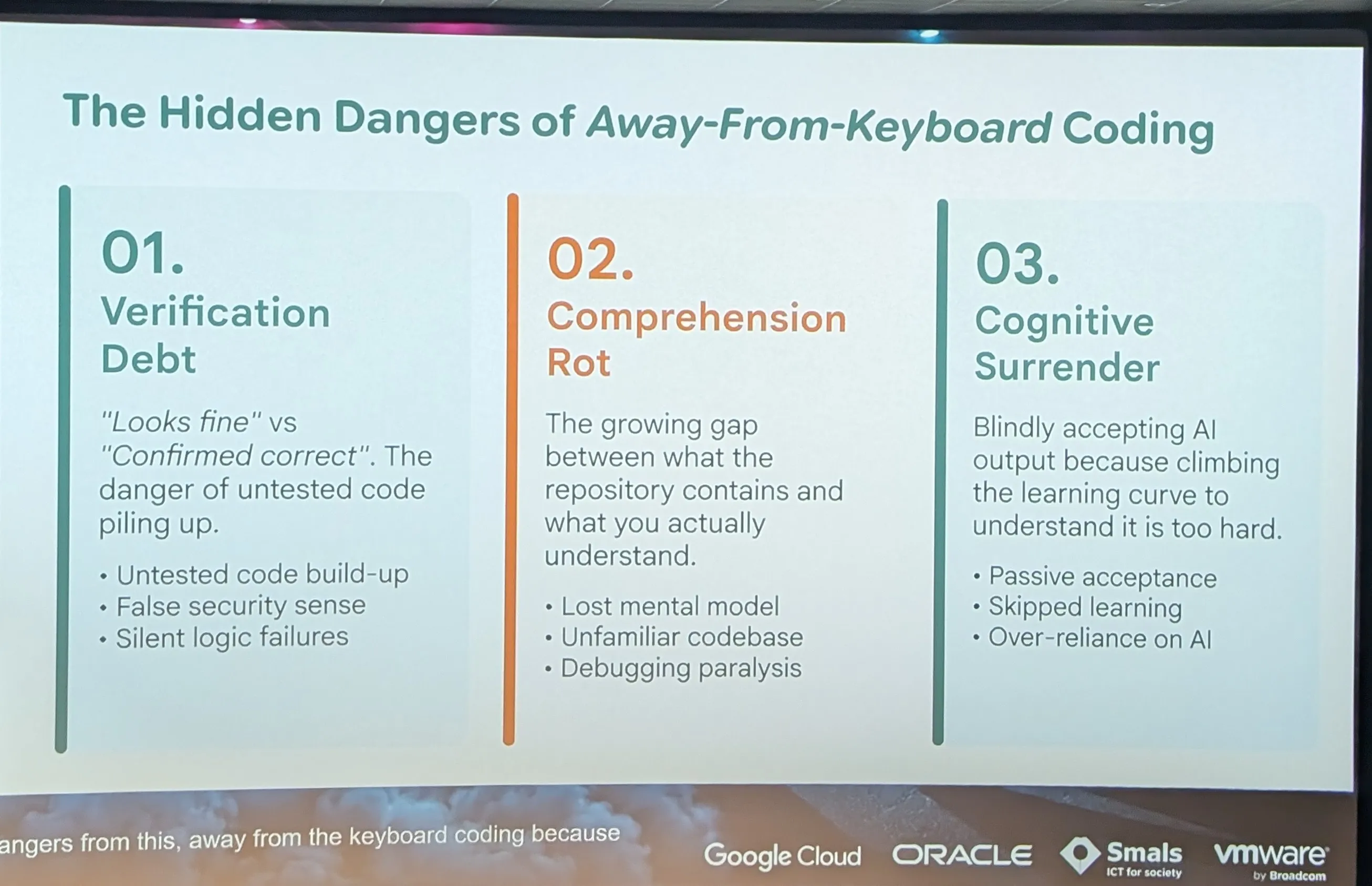
- Failure Mode
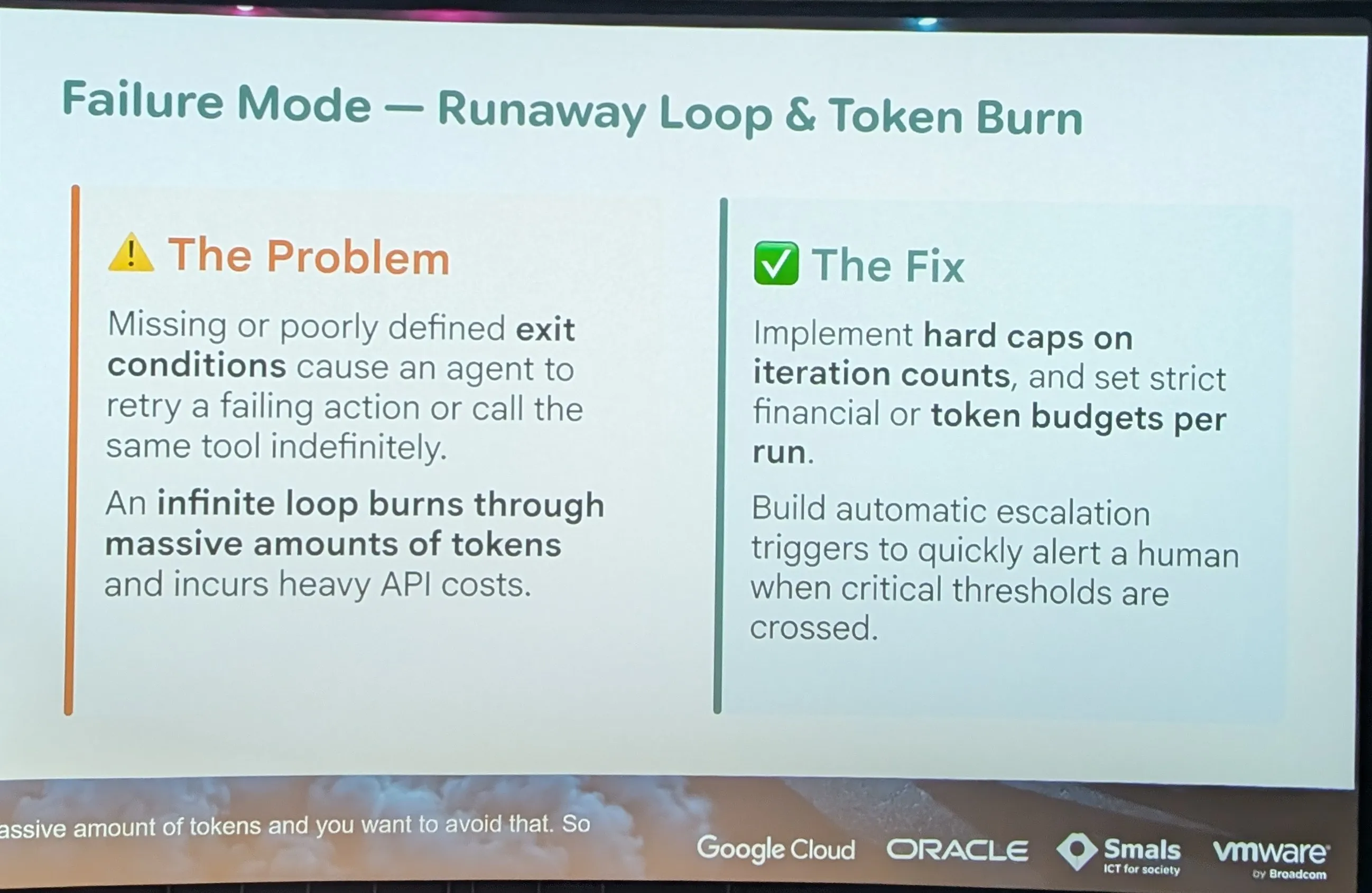
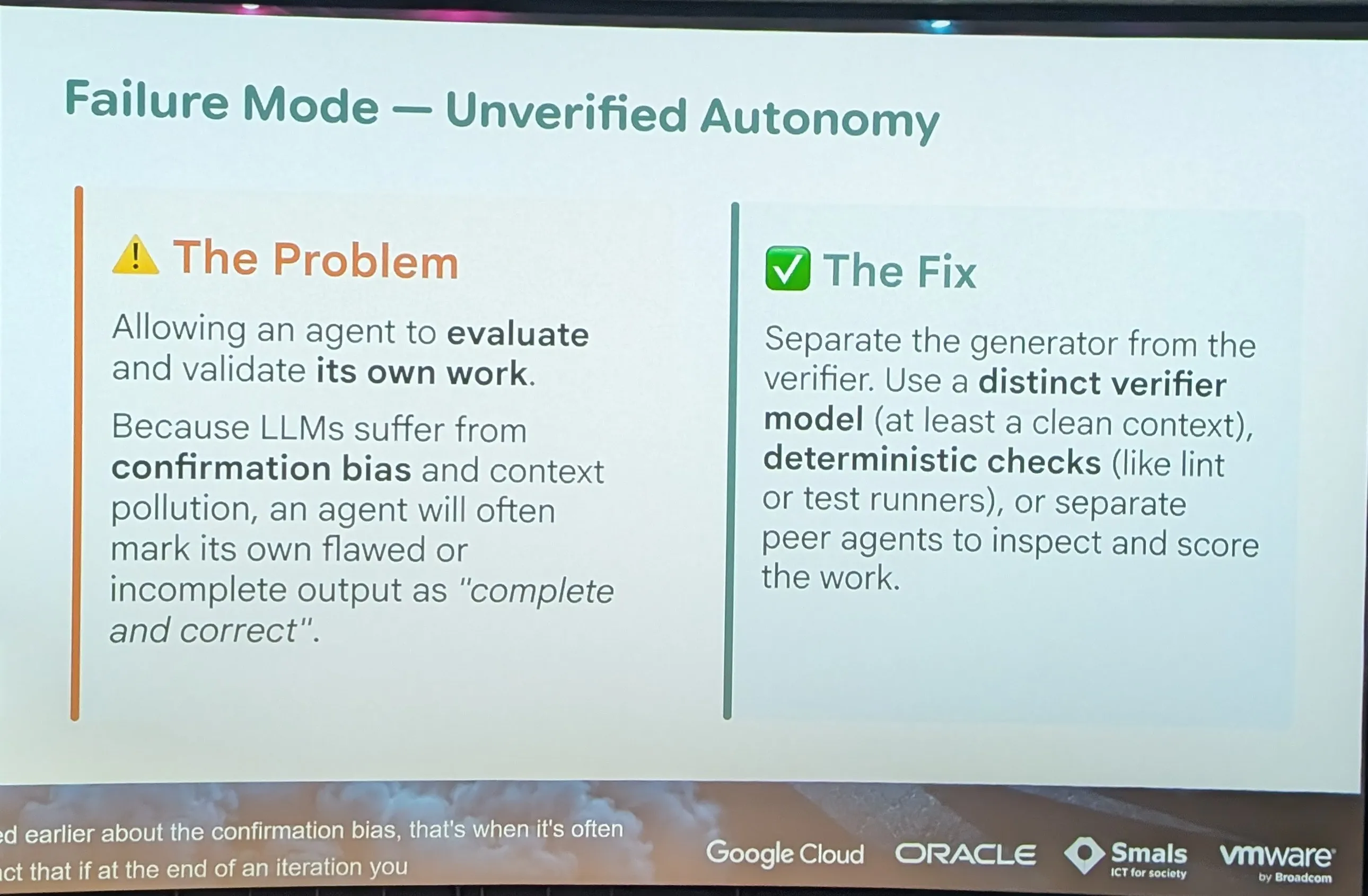
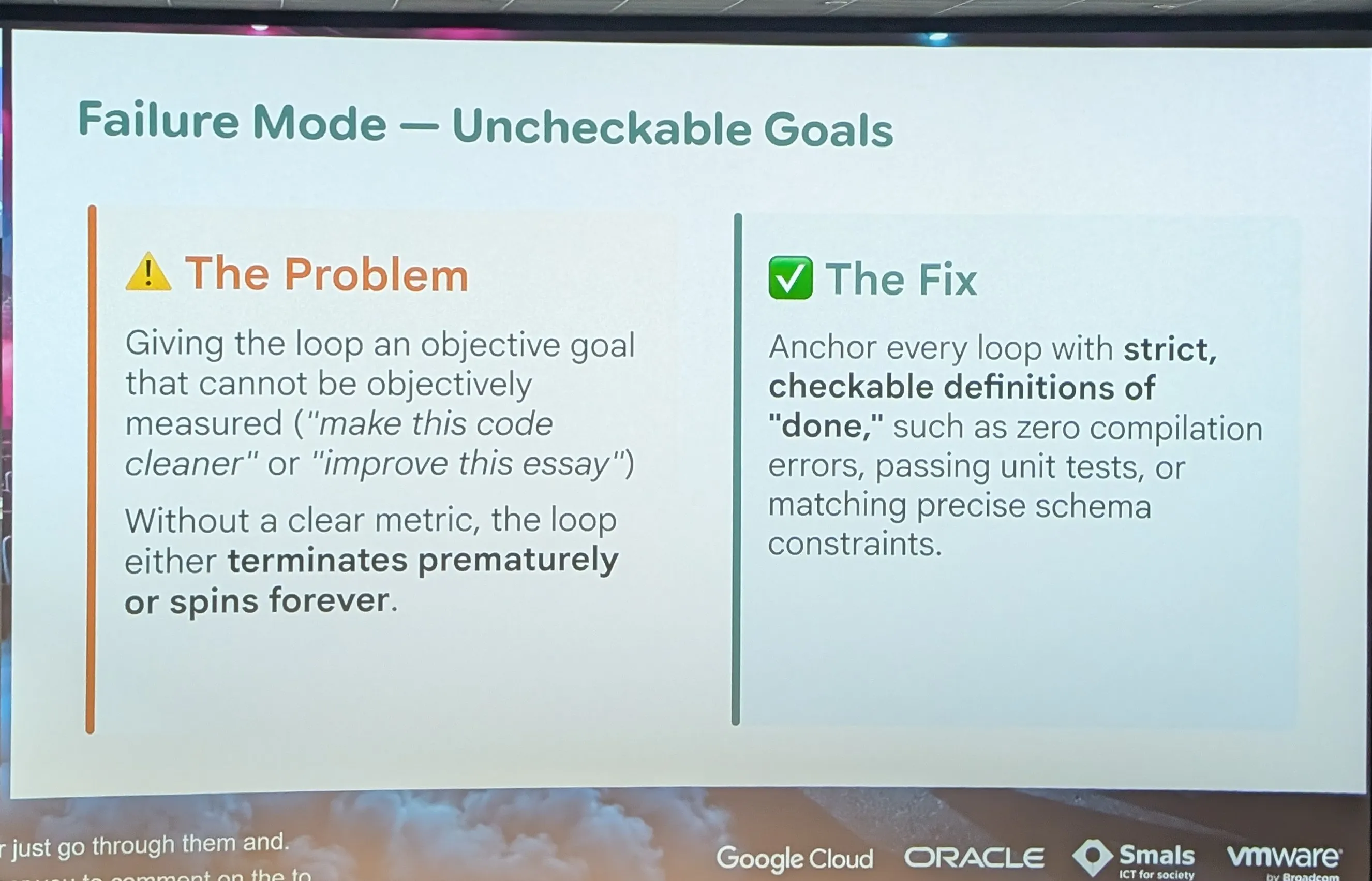
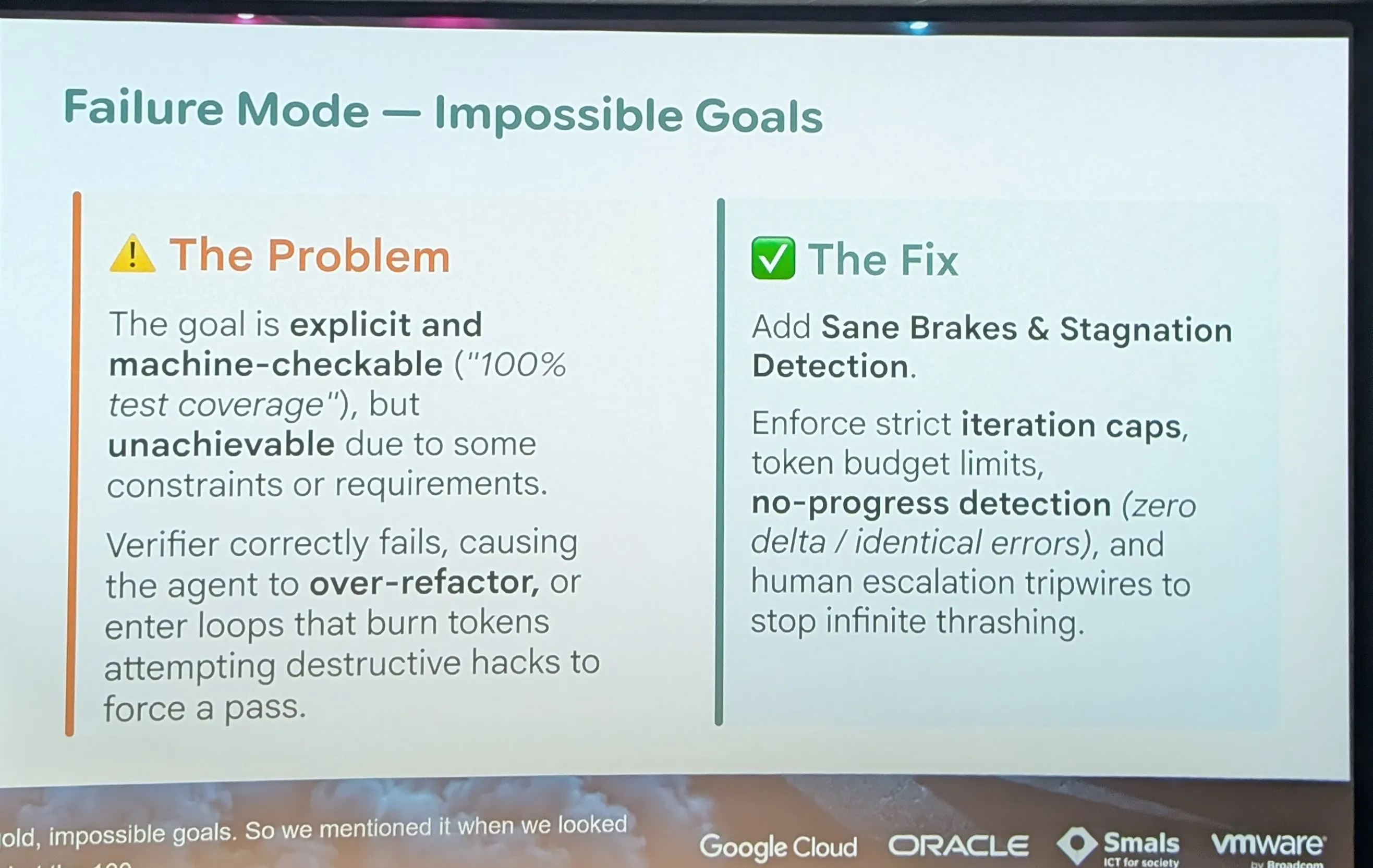
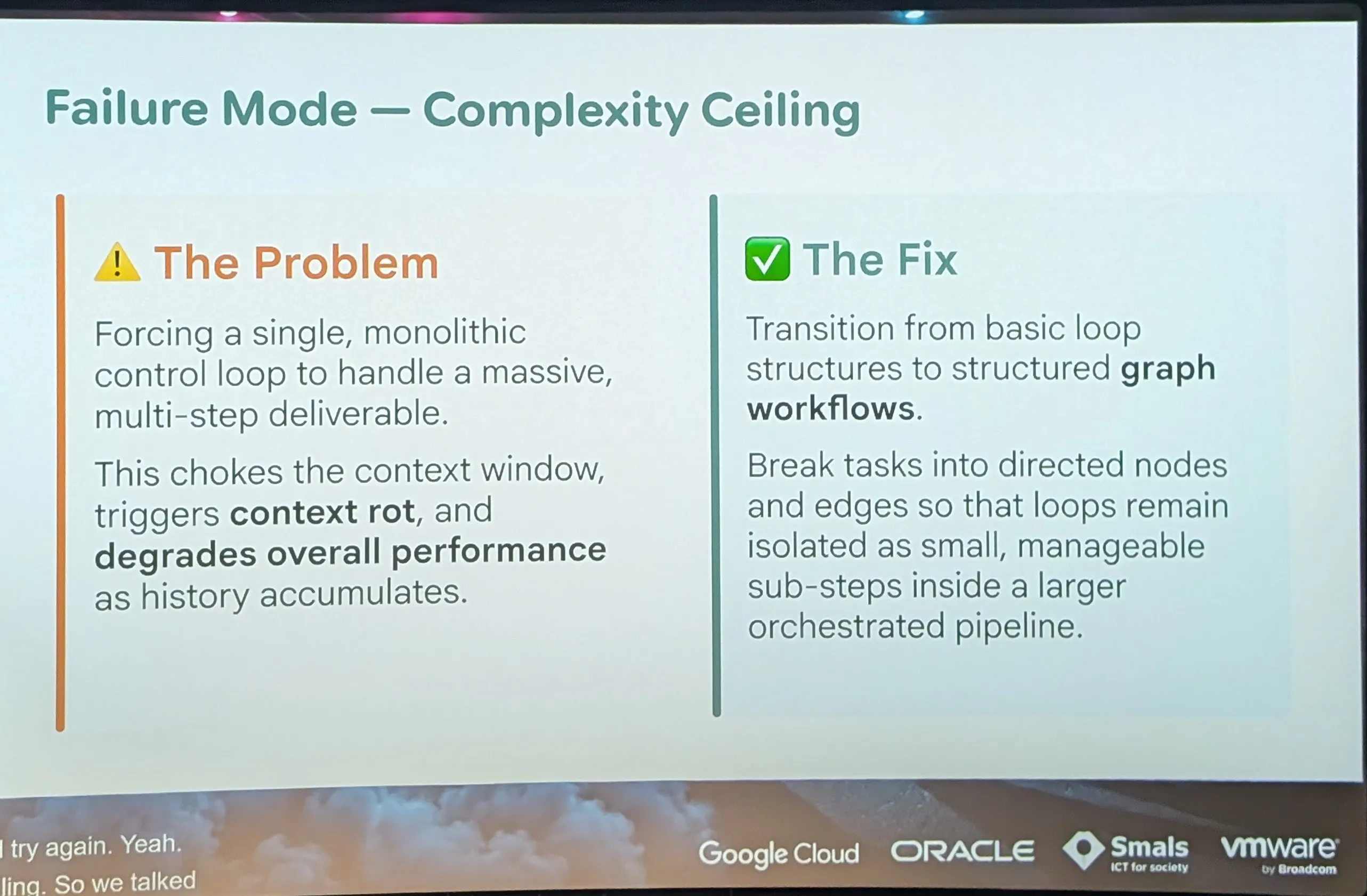
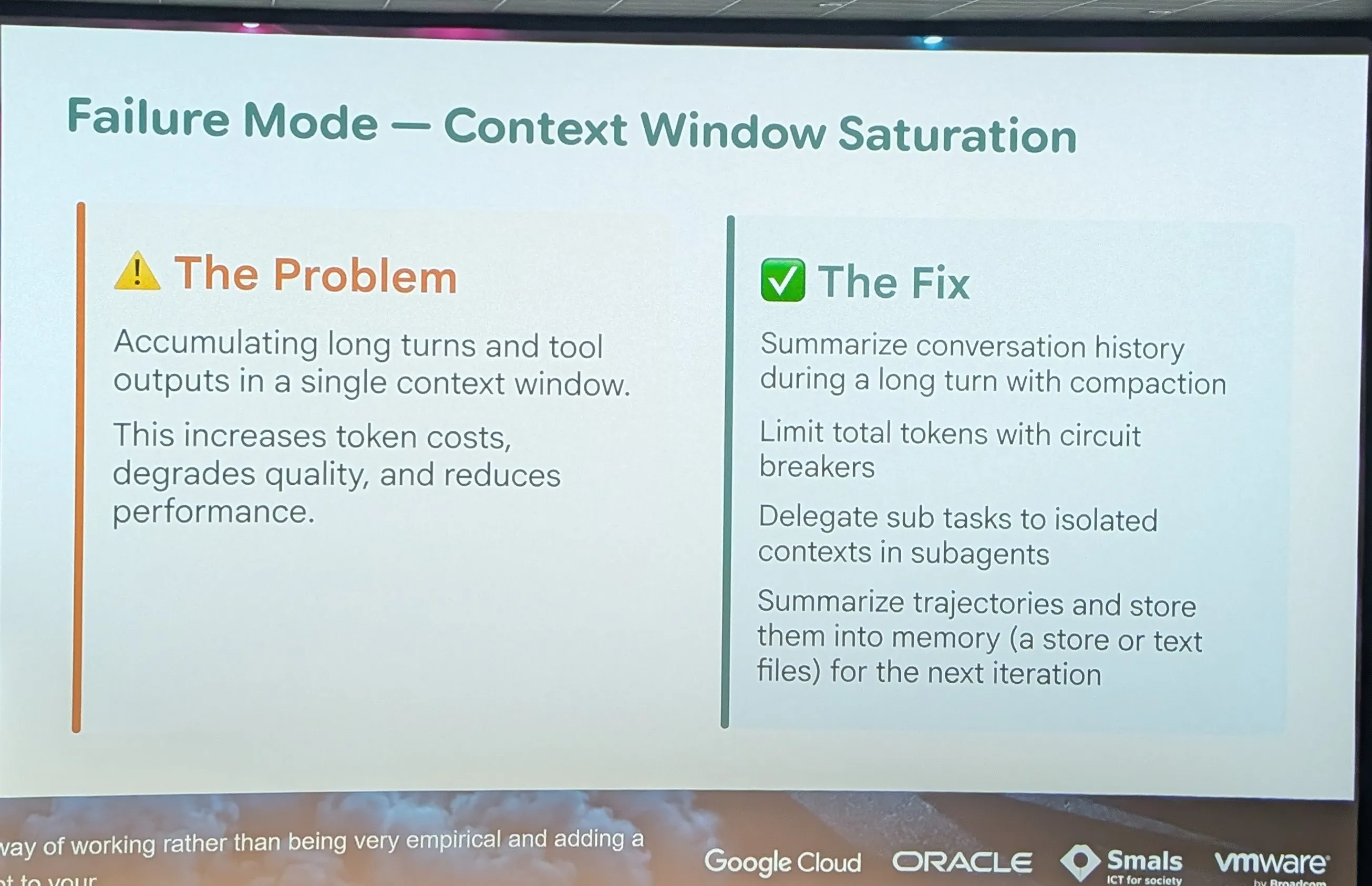
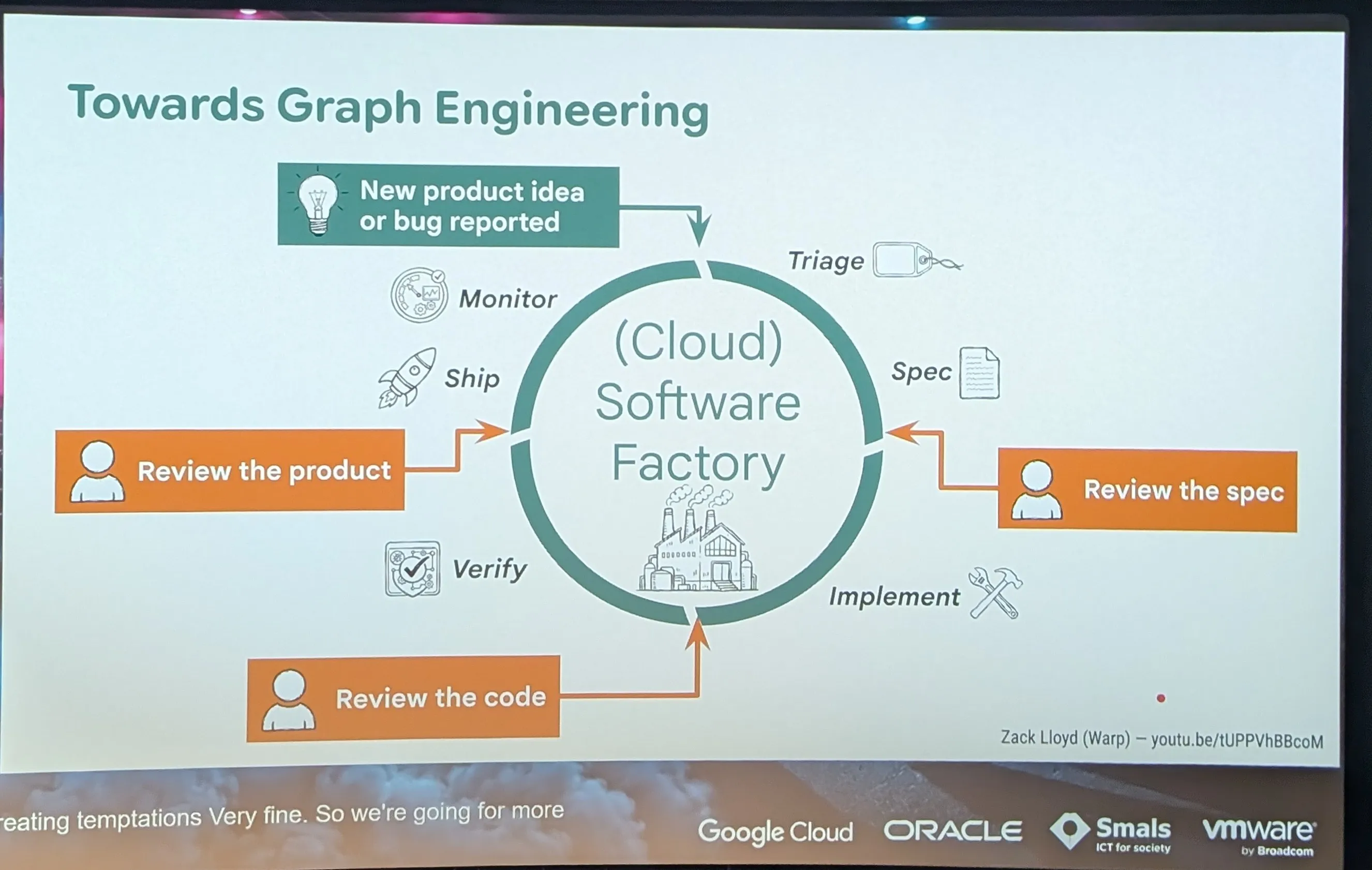
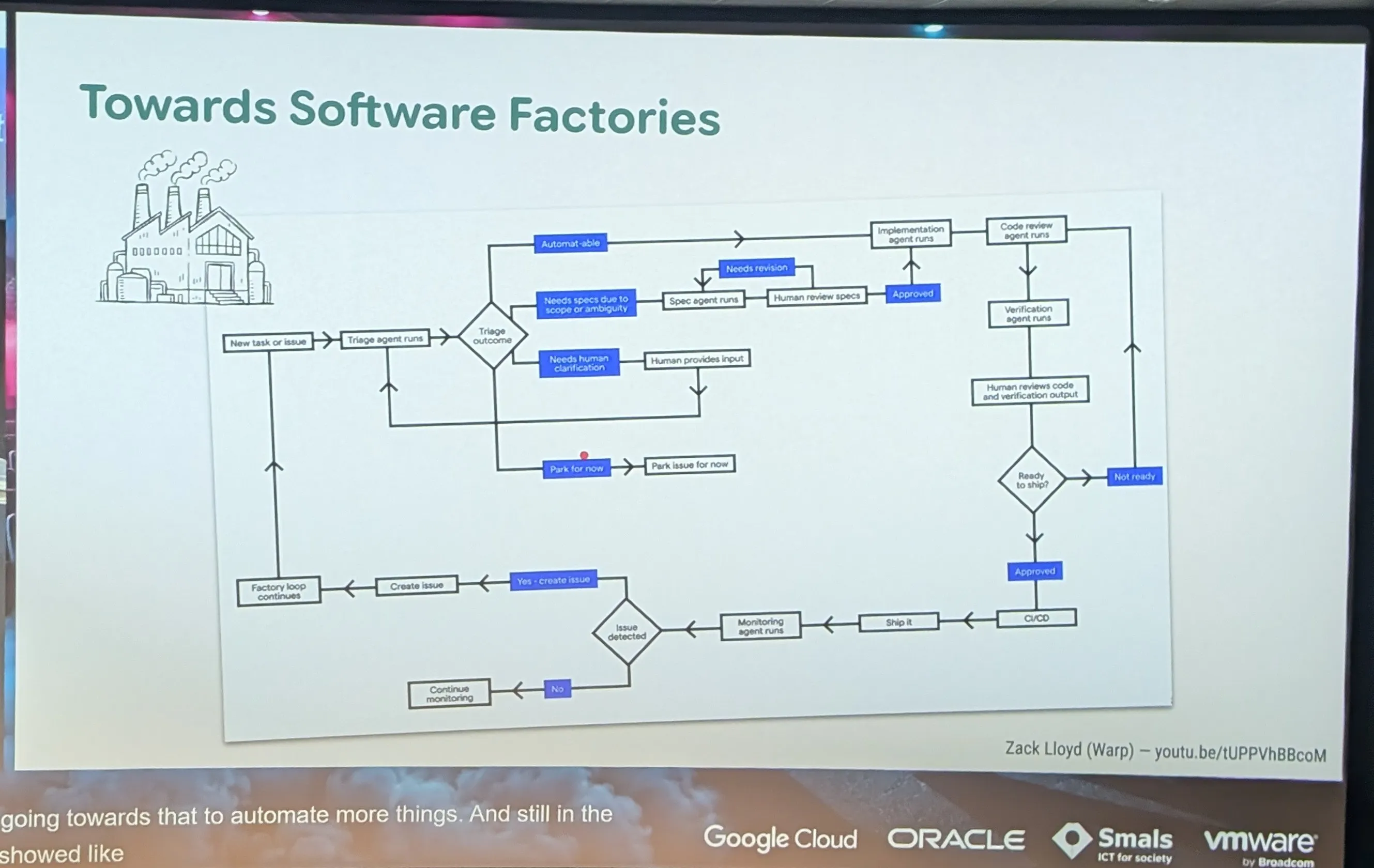
- graph engeneering
- Move from Human prompt to Built Something
- Video Zack Lloyd
- https://m.youtube.com/watch?v=tUPPVhBBcoM
Extra notes
Section titled “Extra notes”open rewrite , cli , sdk
| OpenRewrite | Copilot CLI | Copilot SDK | |
|---|---|---|---|
| Nature | Deterministic transformation engine (AST) | AI agent, used interactively or headless | The same agent, driven from code |
| Result | Identical on every run | Variable | Variable |
| Who decides | The recipe | The agent, guided by you | The agent, framed by your code |
| Best for | Mechanical transformations over thousands of files | One-off work, exploration, small loops | Complex, repeated orchestration |
| Cost | Free | Premium requests | Premium requests |
| Theseos example | javax → jakarta, framework API renaming |
“Migrate this service and make the tests pass” | Migrate 80 modules in parallel, with a report and PR per module |
CLI headless.
Section titled “CLI headless.”Often, yes. The CLI in headless mode (copilot -p "...") called from a bash script or a CI job already covers a large part of the needs:
for m in $(cat modules.txt); do git worktree add ../wt-$m (cd ../wt-$m && copilot -p "Apply the refactor-theseos skill to $m, then mvn -pl $m test until green")doneIt fits in ten lines, everyone can read it, and it doesn’t depend on any preview library.
The ladder to follow
Section titled “The ladder to follow”Only move up one step when the step below is no longer enough:
- OpenRewrite alone, if the transformation is fully mechanical.
- Interactive CLI with a skill, to tune the workflow by hand.
- Headless CLI in a script or in CI, to repeat it. Often enough.
- SDK, when you need orchestration, fine control or integration.